Short description
SteveShines makes focused Windows apps for files, media, creative work and desktop productivity. All 21 apps are available on Microsoft Store.
Press & creators
Approved descriptions, icons, screenshots and Microsoft Store links for every app. Use anything on this page in articles, reviews, videos and roundups.
Updated November 6, 2026. This page refreshes automatically when apps change.
SteveShines makes focused Windows apps for files, media, creative work and desktop productivity. All 21 apps are available on Microsoft Store.
SteveShines publishes Windows desktop software. Its 21 apps cover file workflows, video and media, creative tools and everyday desktop productivity, and each one is built around a single, clearly defined job. The apps are distributed through Microsoft Store, which handles installation, updates and purchases. Learn more at https://steveshines.com.
Please write the name as SteveShines (one word, capital S twice) and link to the app's Microsoft Store listing or its page on steveshines.com.
Fact sheets

Media
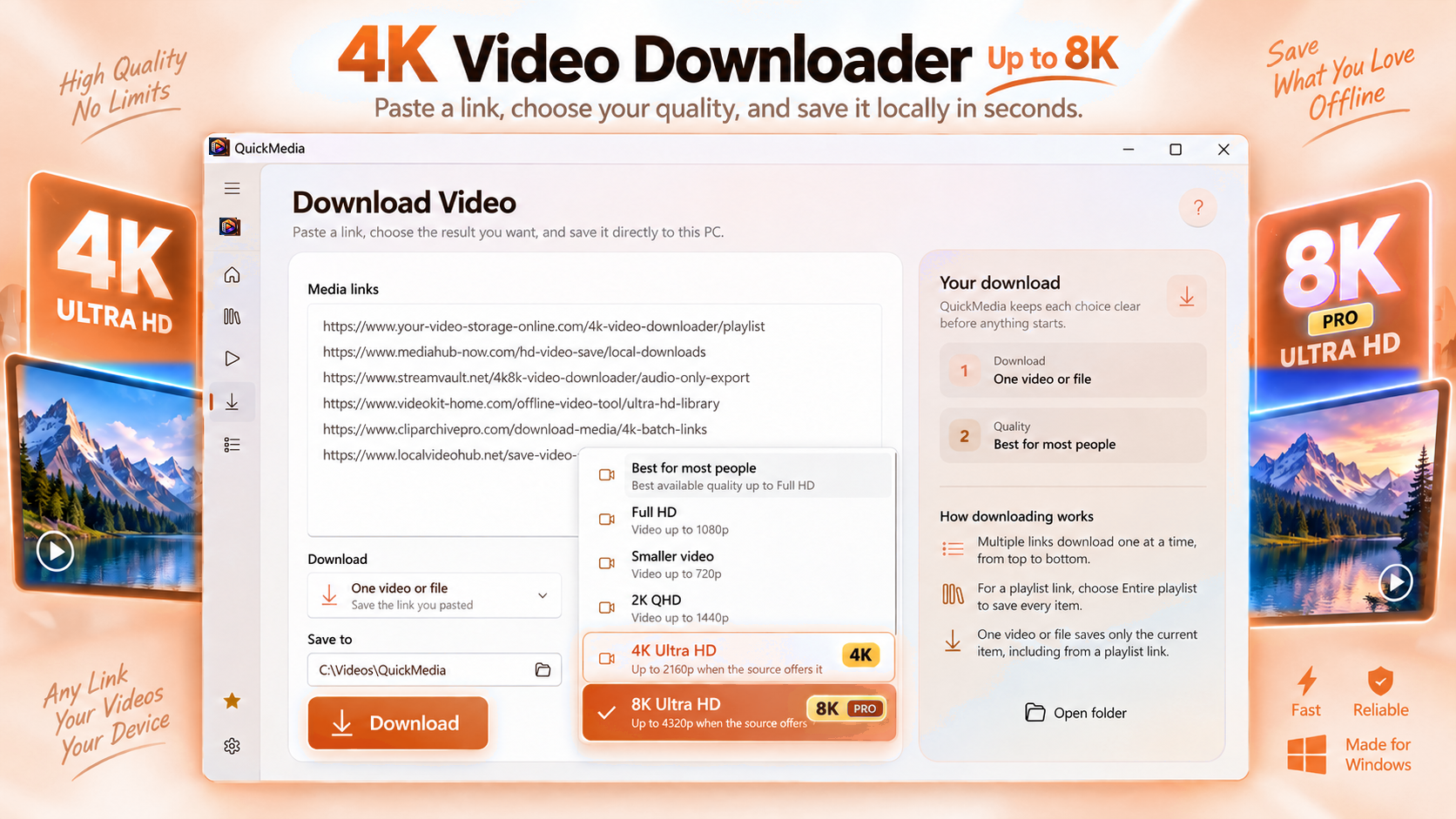
Save your media. Make it yours.
Download 4K videos, save supported playlists, and manage your media on Windows. QuickMedia combines video downloading, format conversion, trimming, compression, and audio extraction in one easy-to-use app.
Windows 11, Windows x64, and Windows ARM6416 languagesChecked November 6, 2026

Files & documents
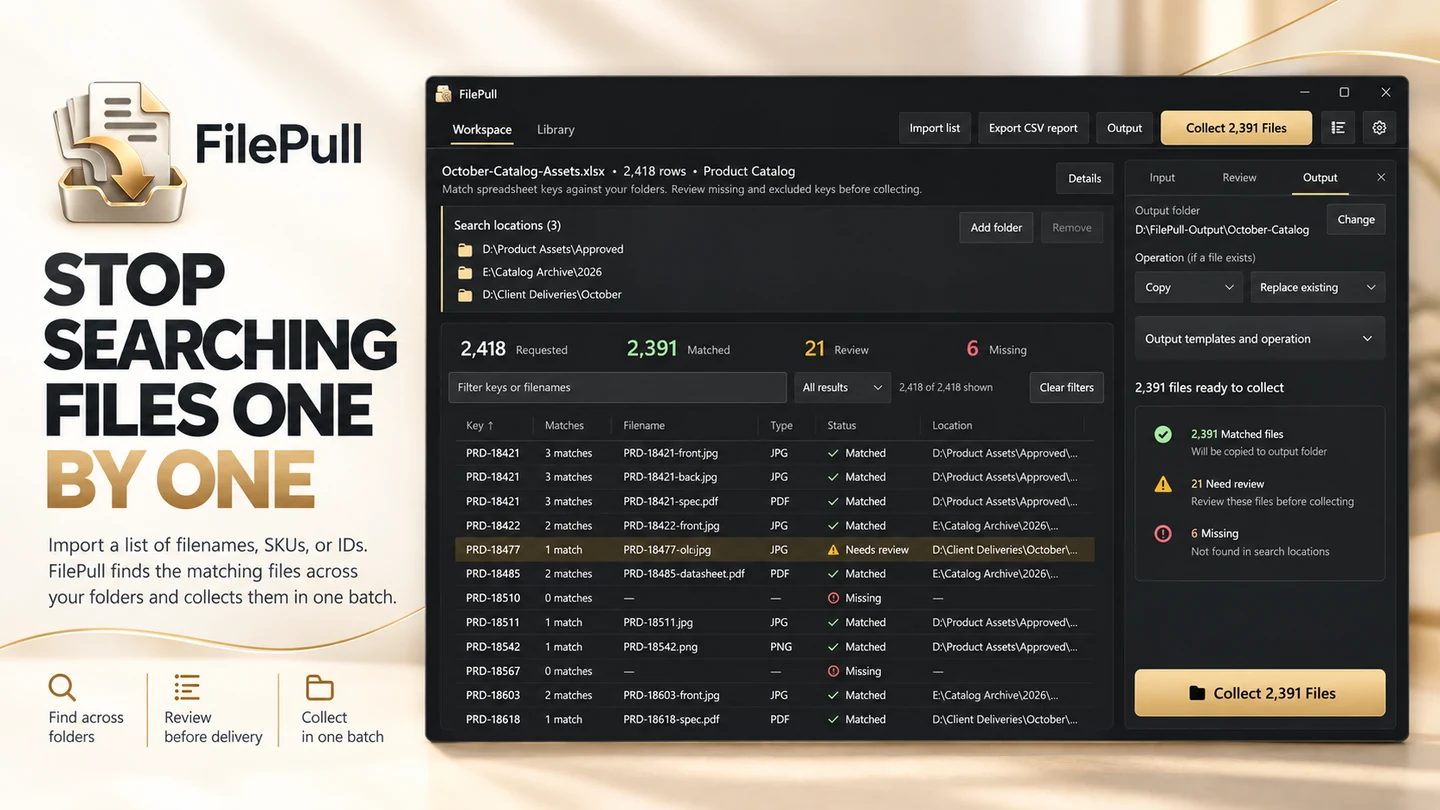
A whole file list. One clear workflow.
Find and collect files in batches using a list of filenames, SKUs, or IDs.
WindowsChecked October 9, 2026

Files & documents
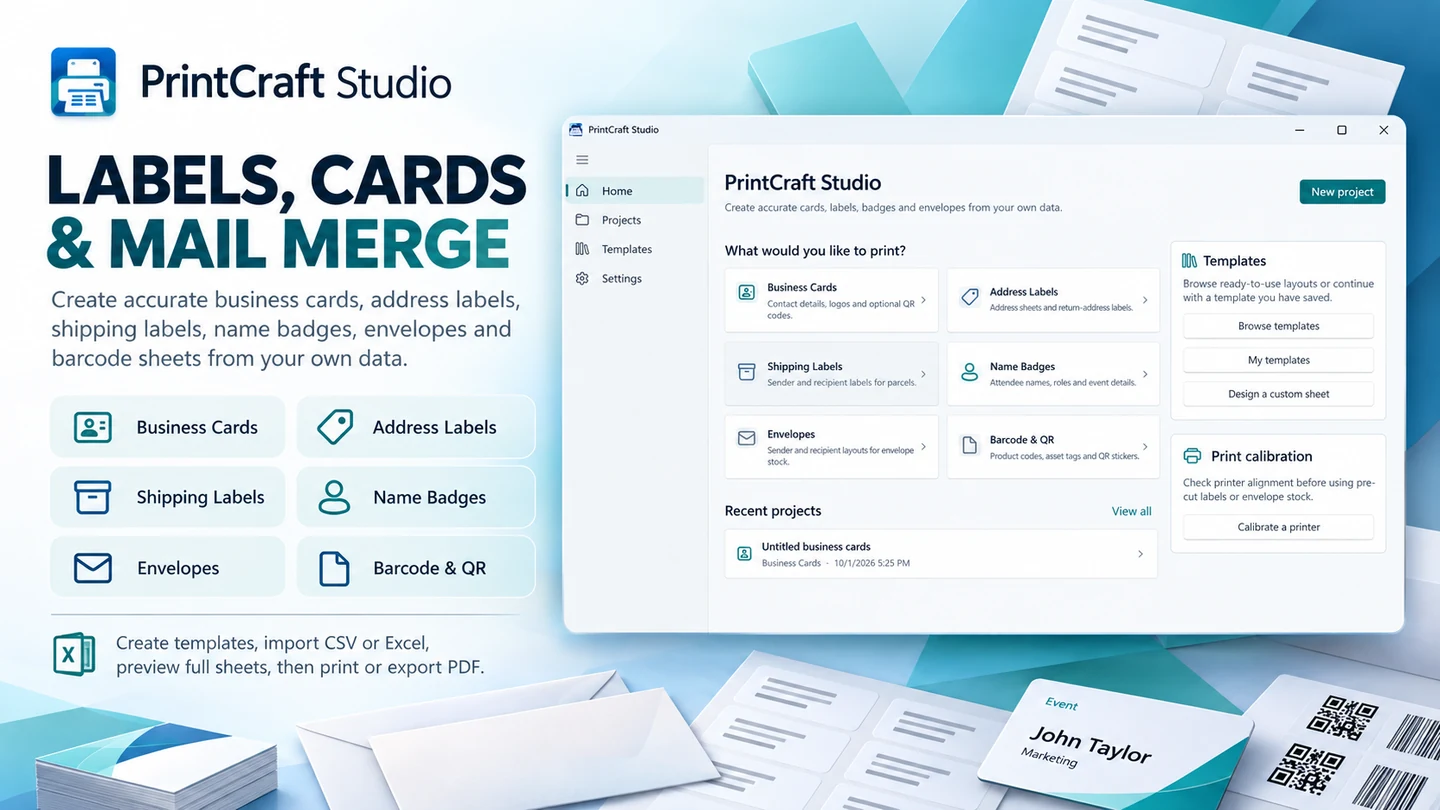
From your data to the printed page.
Create labels, cards, and print layouts with a dedicated Windows workspace.
WindowsChecked October 9, 2026

Media
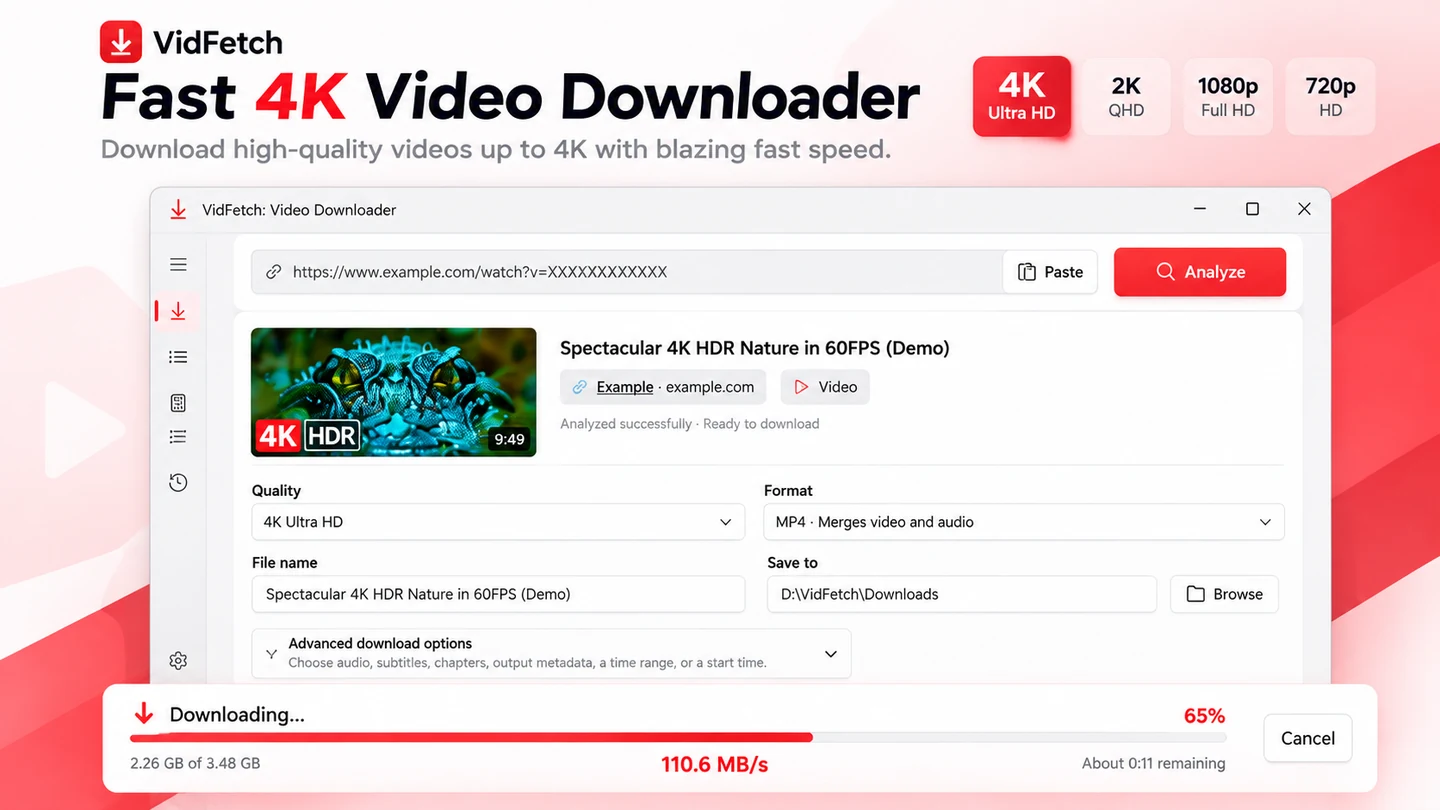
Choose the quality. Keep downloads under control.
4K & 8K VIDEO DOWNLOADER FOR WINDOWS Download high-quality videos in 4K Ultra HD and up to 8K with VidFetch Pro.
Windows 11, Windows x64, and Windows ARM6416 languagesChecked November 6, 2026
What's new

Files & documents
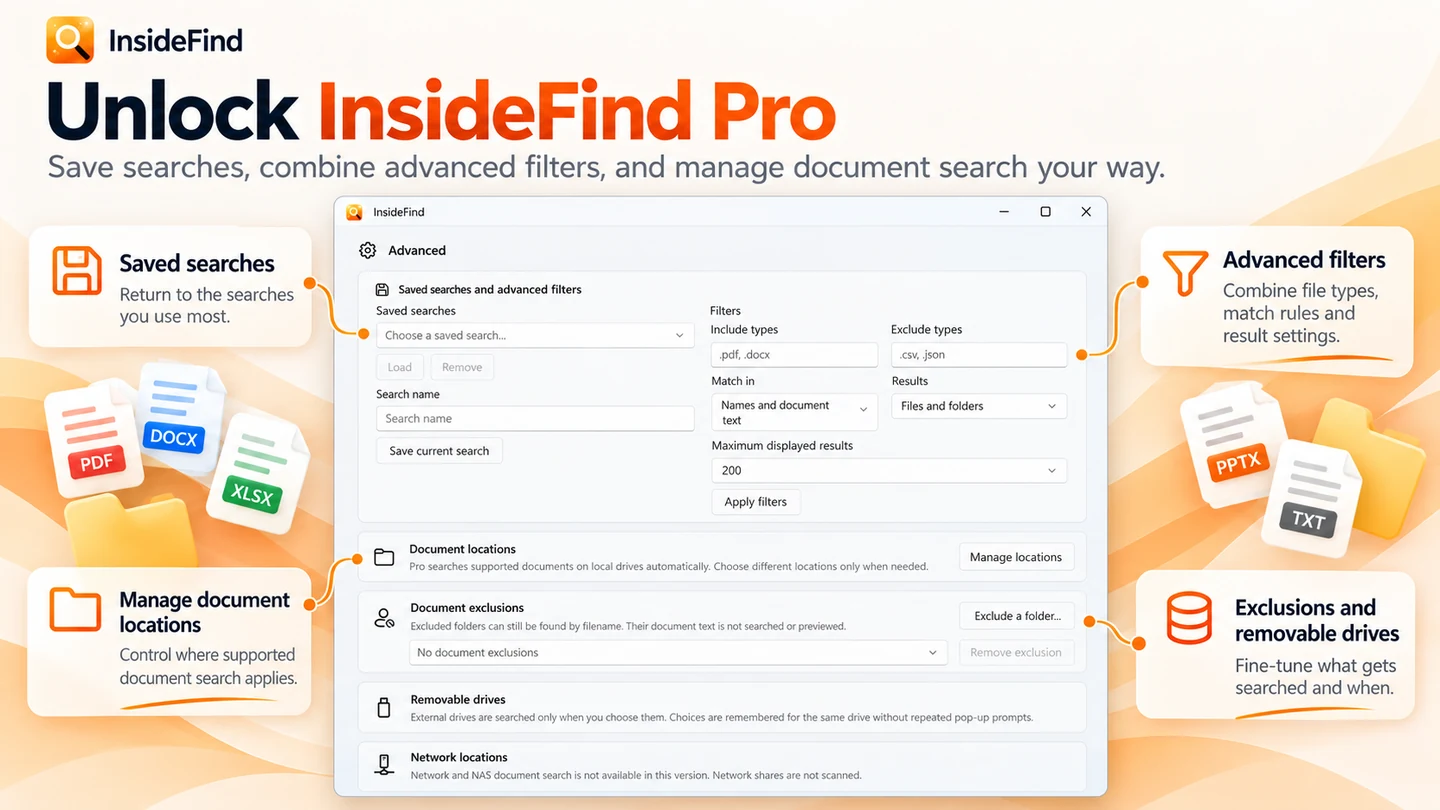
Find the file you remember.
Search filenames and, with InsideFind Pro, the text inside supported documents.
WindowsChecked October 9, 2026

Desktop & focus
Little tools. A more useful desktop.
Desktop companions and practical screen tools, notes, and workspace utilities.
WindowsChecked October 9, 2026
Files & documents
Give your file transfers a second check.
Copy files from cards with verification built into the workflow.
WindowsChecked October 9, 2026

Media
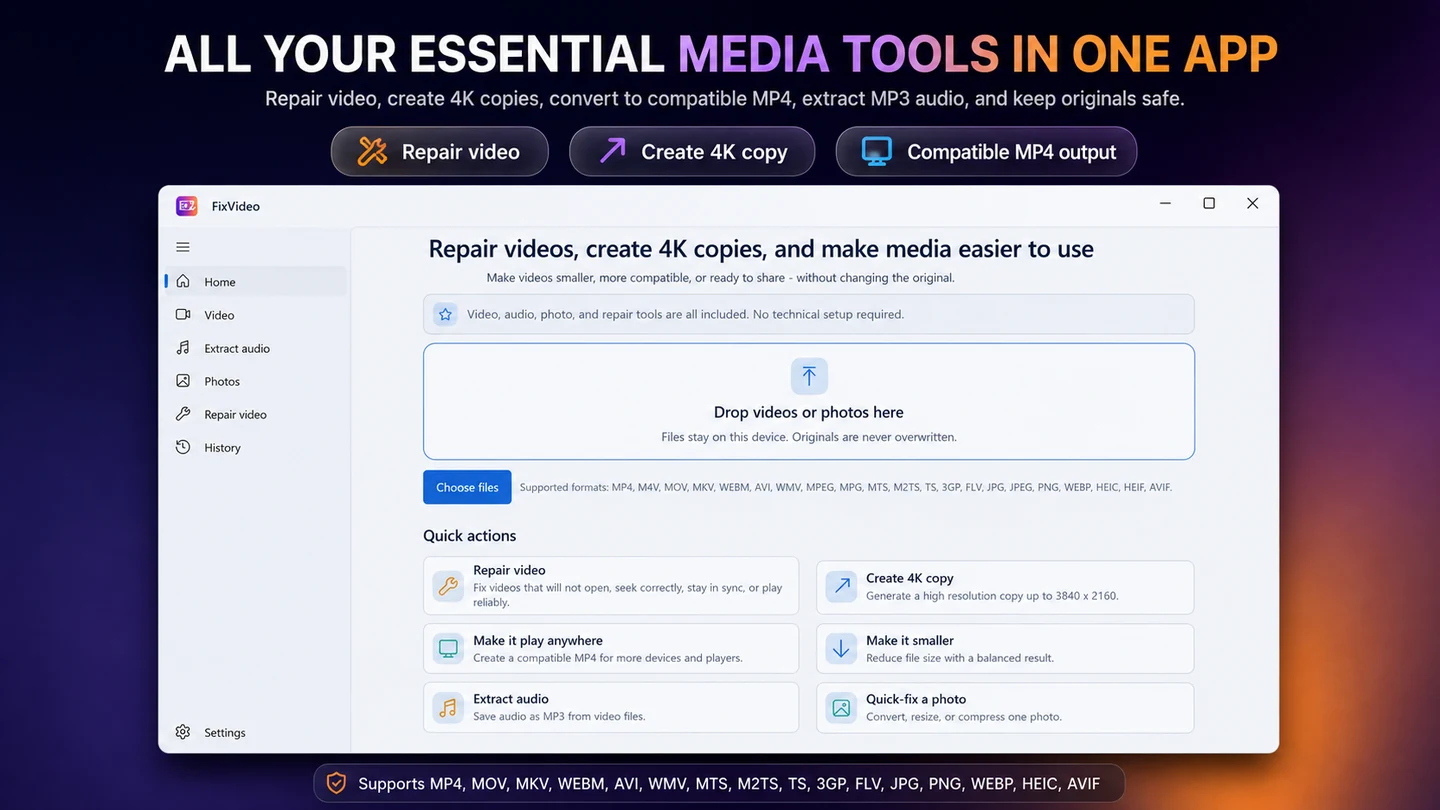
Keep your videos moving.
FixVideo is an offline video repair, compression, and conversion toolkit for Windows. Repair supported playback issues, compress 4K and HD recordings, convert videos to MP4, extract MP3 audio, and batch-optimize photos without uploading your personal files.
Windows 10, Windows 11Checked October 9, 2026

Files & documents
A clearer view of electronic invoices.
Open, inspect, and technically validate electronic invoices.
WindowsChecked October 9, 2026

Desktop & focus
A little company for your workday.
An animated desktop companion for focus and work.
WindowsChecked October 9, 2026

Desktop & focus
Your displays, under control.
Monitor control, brightness, HDR, and desktop automation tools.
WindowsChecked October 9, 2026

Media
Cut to the part that matters.
Video cutting, silence removal, and Whisper captions in a desktop editor.
WindowsChecked October 9, 2026

Desktop & focus
Put your workspace back in place.
A window layout manager and workspace organizer for Windows.
WindowsChecked October 9, 2026
Creative tools
App assets, made together.
Generate app icons and assets, optimize SVGs, and process images in batches.
WindowsChecked October 9, 2026

Creative tools
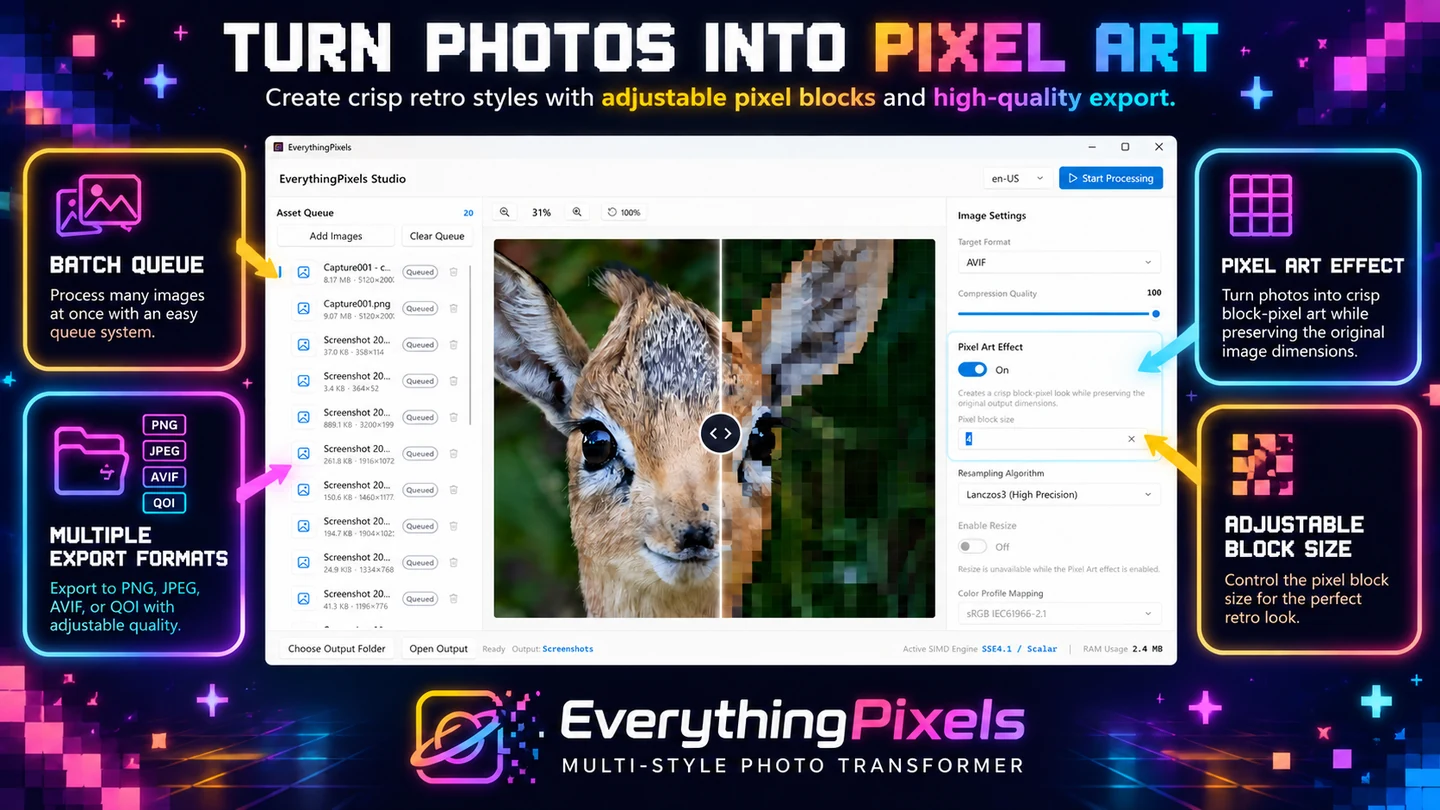
Every pixel, considered.
Image compression and pixel art tools for Windows.
WindowsChecked October 9, 2026
Desktop & focus
Collect files now. Organize them when you are ready.
Keep screenshots, documents, downloads, and folders within reach in a floating Windows file staging area.
WindowsChecked October 9, 2026

Utilities
SQL Migration Risk Reviewer
Check SQL scripts for syntax errors, dangerous database changes, and potential data loss before execution. SQLReviewer is a SQL Server script analyzer and SQL migration checker for Windows.
Windows 111 languageChecked October 11, 2026
What's new

Utilities
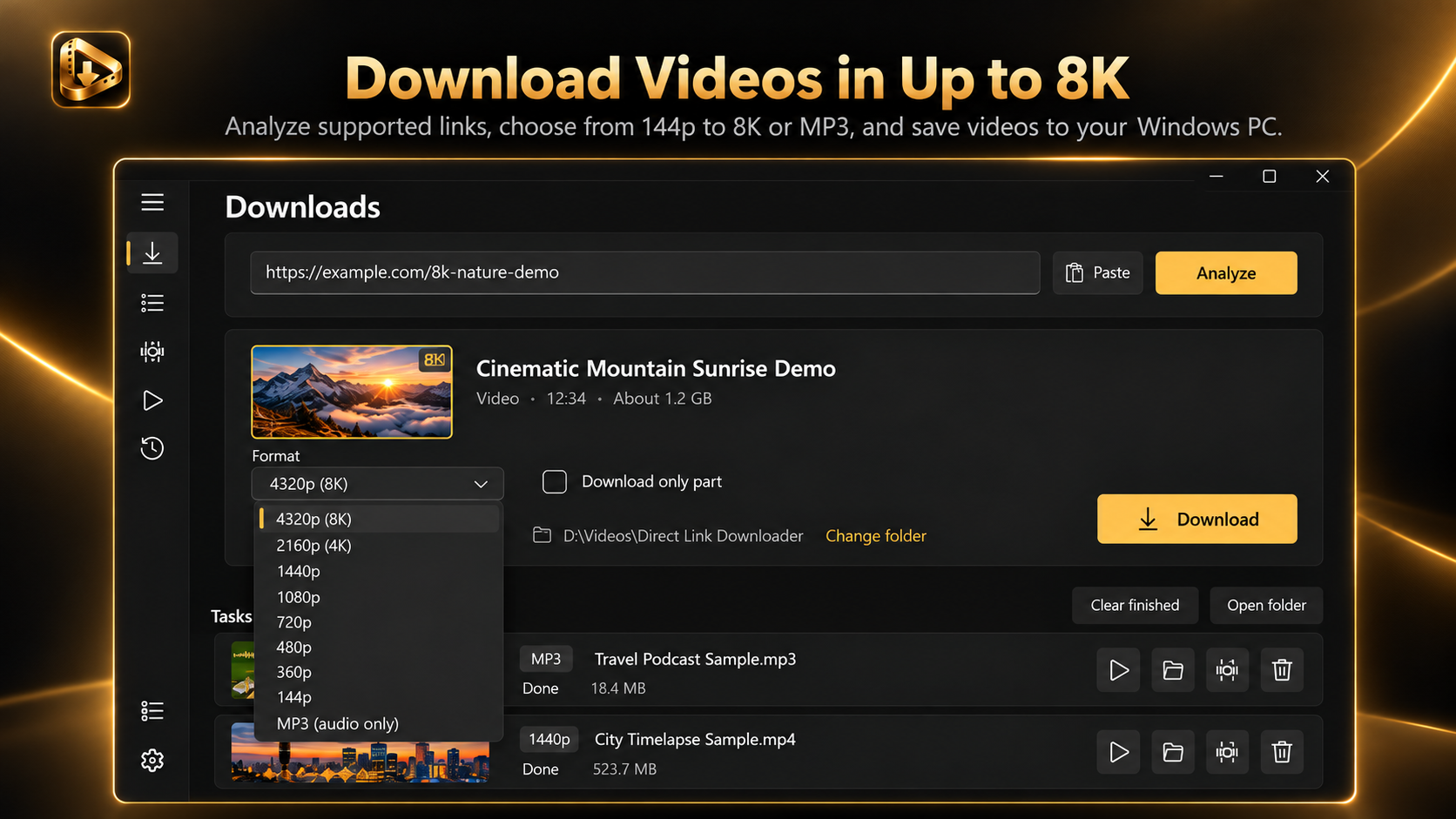
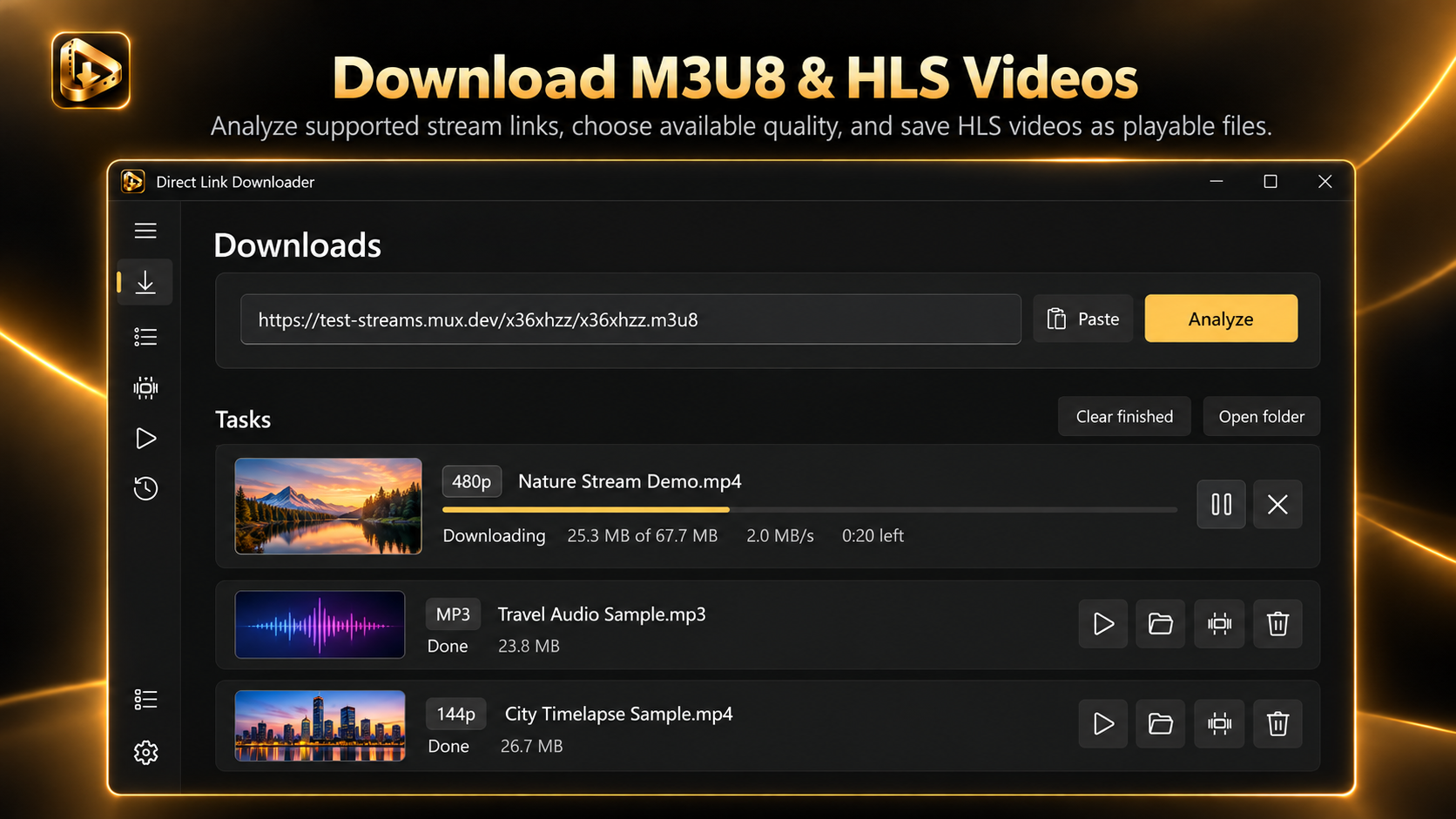
Direct Link Downloader: MP4, MP3, M3U8
Download 4K and 8K videos when available, save M3U8 and MPD streams, record live streams directly from URLs, batch download multiple video links, and extract MP3 audio. Direct Link Downloader brings powerful video downloading and stream recording tools together in one easy-to-use Windows app.
Windows 11, Windows x64, and Windows ARM6416 languagesChecked October 13, 2026
What's new

Utilities
Check Printing Studio
Need to print business checks without learning a complicated accounting system?
WindowsChecked October 13, 2026
What's new

Media
Tapescript: Offline AI Transcription & Subtitles
Tapescript converts speech in audio and video recordings into editable transcripts with timestamps.
windows 111 languageChecked October 23, 2026

Media
Video Converter: MP4 & HEVC
Need to change a video format, reduce file size, or make a recording compatible with another device?
WindowsChecked October 23, 2026