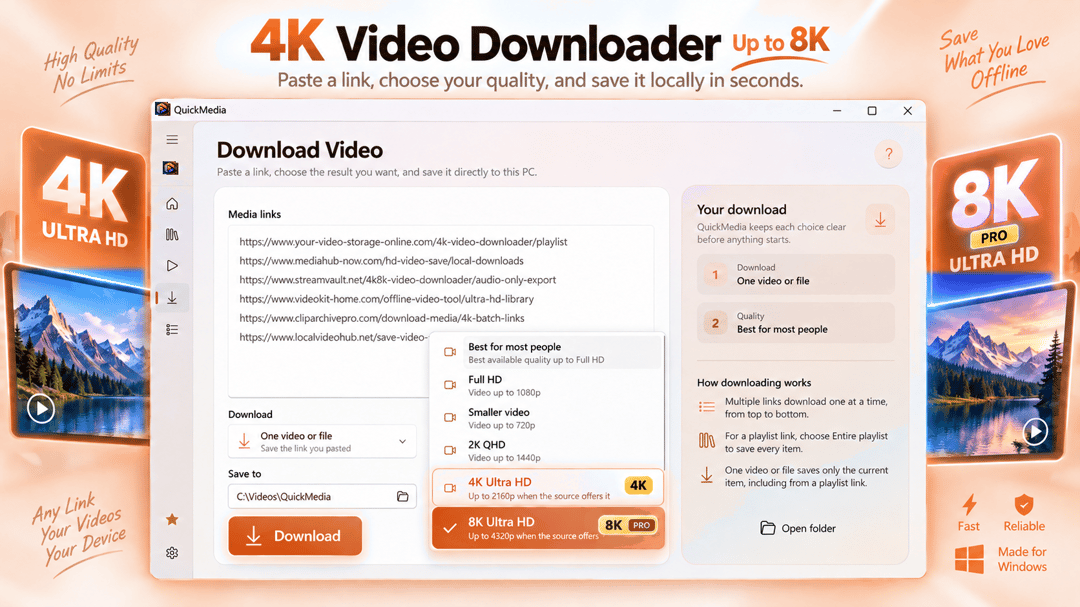

Download videos fast in 4K Ultra HD and up to 8K, save complete playlists, queue multiple video links, and keep your media offline on your Windows PC.

Media
FixVideo
Black MonthPro Lifetime 33% off on Microsoft Store (US) through Nov 30
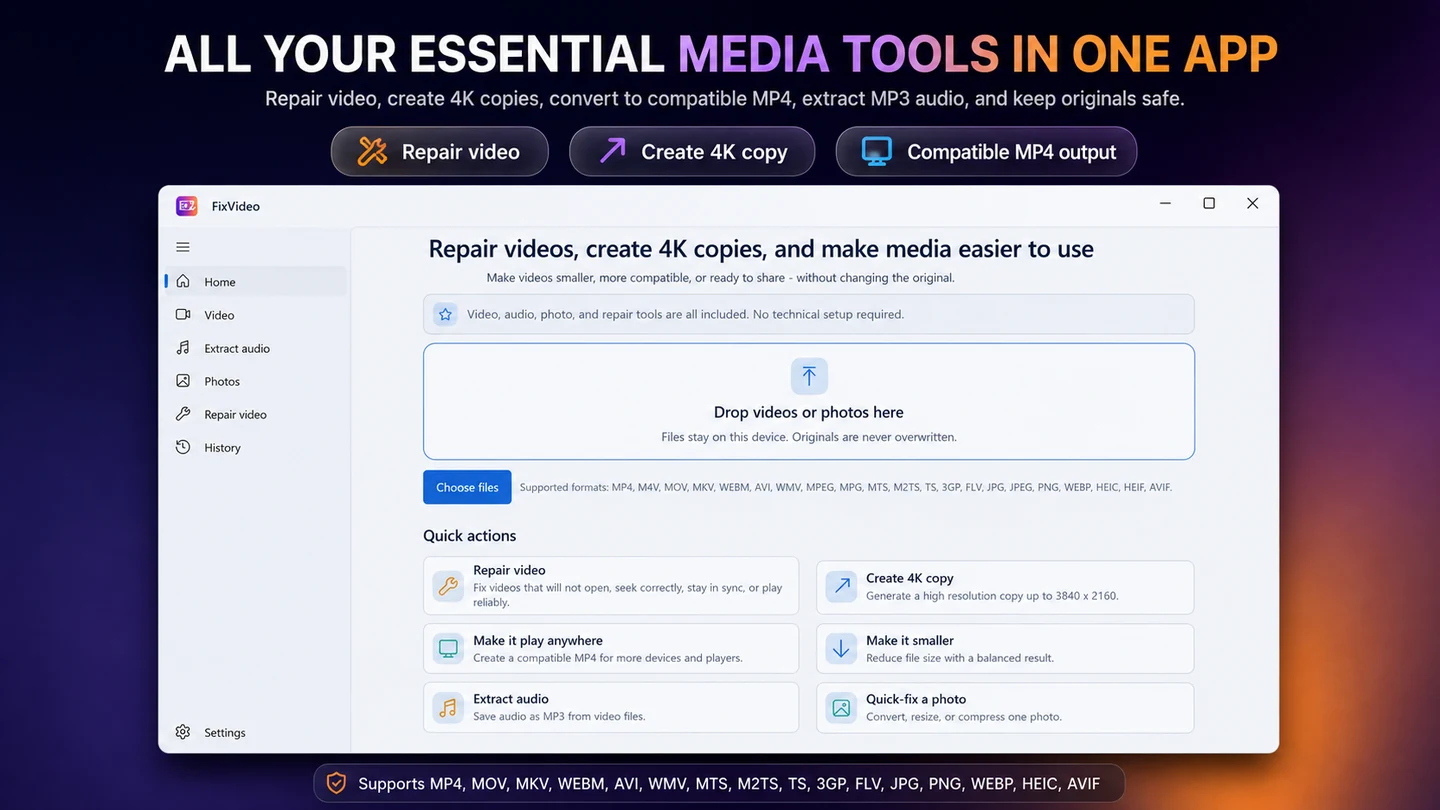
FixVideo is an offline video repair, compression, and conversion toolkit for Windows. Repair supported playback issues, compress 4K and HD recordings, convert videos to MP4, extract MP3 audio, and batch-optimize photos without uploading your personal files.
Windows app. Pricing and requirements are listed on Microsoft Store.
At a glance
View the official listingMeet FixVideo
A video that will not play, a recording too large to share, or a file your editor refuses to open can interrupt an otherwise simple task. FixVideo brings practical video repair, compression, conversion, audio extraction, and photo optimization into one local Windows application.
Whether you are preparing a presentation, reducing the size of recorded lectures, converting camera footage, or organizing personal media, FixVideo helps you inspect the problem and choose an appropriate operation without relying on online file converters.
Large videos can consume storage space and exceed the limits of email attachments, collaboration tools, and upload platforms. FixVideo compresses supported recordings to produce smaller files while giving you practical control over the output.
Use compression presets for common sharing scenarios, including email, messaging, and web uploads. Prepare smaller copies of 4K and Full HD videos for presentations, project reviews, or everyday sharing.
Compression involves a trade-off between size and visual quality. The best result depends on the source video, chosen settings, and intended playback device.
A file may contain perfectly usable video and still fail to open because a player, editor, or presentation program does not support its format or codec.
FixVideo converts supported files, including MOV, MKV, WebM, AVI, WMV, M4V, FLV, TS, and 3GP, into compatible MP4 outputs.
Create MP4 copies for Windows playback, PowerPoint presentations, editing applications, or sharing with colleagues. Conversion can resolve many compatibility problems, although it cannot reconstruct media information that is missing or irreversibly damaged.
Some videos display a black screen, freeze unexpectedly, lose synchronization, or fail to open because their container structure or metadata is inconsistent.
FixVideo provides diagnostic and repair operations for supported problems involving video headers, timestamps, container information, and playback compatibility.
Depending on the file's condition, these operations may help restore a usable copy of a recording or correct issues that prevent normal playback.
Repair results depend on the video format, available source data, and type of corruption. Severely damaged recordings or files containing missing video frames may not be recoverable.
Keep the original recording until you have checked the repaired output from beginning to end.
Sometimes the sound is more important than the picture.
FixVideo can extract audio from supported videos and save it as an MP3 file. Turn recorded lectures, spoken presentations, interviews, and meeting videos into standalone audio files for convenient listening.
The audio extraction workflow includes stream verification to help identify whether the source contains a usable audio track before export.
This is especially useful when you want to review spoken content without opening the entire video every time.
FixVideo also includes photo optimization tools for preparing image collections.
Resize large images while preserving their aspect ratio, compress photos for easier sharing, and convert between supported formats such as JPG, PNG, WebP, HEIC, HEIF, and AVIF.
Batch processing makes it easier to prepare multiple photos for websites, product listings, presentations, and personal archives.
These tools complement the application's video functionality, giving you a practical way to prepare both videos and images from one Windows workspace.
Images can contain embedded metadata describing the camera, capture settings, and sometimes GPS location information.
FixVideo includes metadata cleaning tools for supported image formats. Remove EXIF information before sharing photos publicly or sending them outside your organization.
Metadata removal can reduce accidental disclosure of embedded information, although it does not remove personal details visible within the image itself.
Not every video problem requires a repair operation.
FixVideo helps you inspect supported media information such as codec, bitrate, and resolution before choosing what to do next.
If a recording is simply too large, compression may be appropriate. If the format is incompatible, MP4 conversion may be the better choice. If the file has structural problems, a supported repair operation may help.
Understanding the underlying problem can save time and avoid unnecessary re-encoding.
Your personal recordings, business presentations, family videos, and photographs should not need to be uploaded to an unknown conversion service.
FixVideo performs supported media-processing tasks locally on your Windows PC. Your video and image content does not need to be uploaded to SteveShines servers for these operations.
The application produces separate output copies rather than intentionally overwriting your original source files. This lets you compare the results and preserve the source material if you need different settings later.
An internet connection may still be required for Microsoft Store installation, updates, licensing, or purchases.
FixVideo is useful for students compressing recorded lectures, educators preparing presentation videos, creators working with camera footage, office professionals handling meeting recordings, and home users organizing large personal media collections.
Use it when you need to make a video smaller, create a compatible MP4, extract useful audio, address a supported playback problem, or optimize a batch of photos.
Instead of requiring a complex professional editing environment for these common tasks, FixVideo brings them together in a focused Windows utility.
Install FixVideo from Microsoft Store, select your media files, and choose the operation that fits your needs.
For current pricing, available features, system requirements, and purchase options, consult the official Microsoft Store listing.
FixVideo helps you move from a problematic or oversized media file toward a more usable result, while keeping your original content under your control.
See the Microsoft Store listing for current features, system requirements, supported languages, and purchase options.
Try it in your browser
Free and private: the video plays from your device and nothing is uploaded.
The video plays from this device in your browser. Any format your browser can play: MP4 (H.264), WebM, and usually HEVC and AV1.
Common questions
FixVideo is a Windows app by SteveShines in the Media category. FixVideo is an offline video repair, compression, and conversion toolkit for Windows. Repair supported playback issues, compress 4K and HD recordings, convert videos to MP4, extract MP3 audio, and batch-optimize photos without uploading your personal files.
Highlights of FixVideo: Compress large 4K and Full HD video files; Reduce video size for email, sharing, and storage; Use compression presets for common sharing needs; Convert MOV, MKV, WebM, and AVI videos to MP4; Prepare compatible MP4 files for playback and presentations; Inspect video codecs, resolution, and bitrate; Extract MP3 audio from videos and recordings; Verify audio streams before MP3 export; Diagnose supported video playback errors; Repair damaged video headers and container structures; Correct supported timestamp and synchronization issues; Fix sideways or upside-down video orientation; Recover playable copies when supported repair is possible; Resize photos while preserving aspect ratio; Compress images for web and email sharing; Convert JPG, PNG, WebP, HEIC, HEIF, and AVIF images; Remove EXIF metadata and GPS location information; Batch-optimize multiple photos in one workflow; Process videos and images locally without cloud uploads; Preserve original files with separate output copies.
FixVideo runs on Windows 10, Windows 11 PCs. See the Microsoft Store listing for full system requirements.
Install FixVideo from its official Microsoft Store listing (https://apps.microsoft.com/detail/9PDRHJVTGHLL). Microsoft Store handles installation and updates, and the listing shows current pricing and purchase options.
FixVideo is developed and published by SteveShines, which makes Windows apps for files, media, creative work, and desktop productivity. For help, use https://steveshines.com/contact/.
Runs in your browser. Nothing is uploaded.
Download videos fast in 4K Ultra HD and up to 8K, save complete playlists, queue multiple video links, and keep your media offline on your Windows PC.
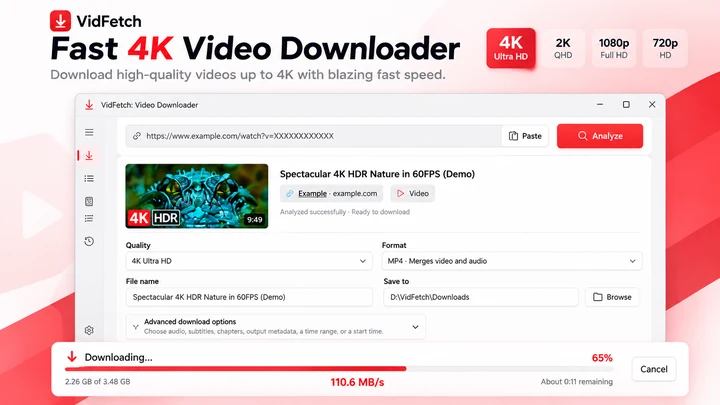
Download high-quality videos in 4K Ultra HD and up to 8K with VidFetch Pro.

Video cutting, silence removal, and Whisper captions in a desktop editor.
Tutorials
Learn how to download multiple videos on Windows 11, manage batch download queues, choose available video quality, and troubleshoot common issues.
Troubleshooting
Troubleshoot failed video downloads on Windows 11, from unrecognized URLs and permission errors to interrupted transfers, storage issues, and batch download problems.
Video & streaming
M3U8 Downloader for Windows 11: Save HLS Video Streams
Video Downloader & streaming
Save a supported M3U8 stream as a locally usable video, preferably MP4
Windows apps
Paste supported MP4, MP3, M3U8 and other media links into one Windows downloader to manage files, recordings, and local history.
Video & streaming
Understand MPEG-DASH MPD manifests, save supported streams on Windows 11, and troubleshoot missing audio, expired links, and DRM restrictions.
Workflow guide
A practical Windows 11 workflow for taking an authorized video from download through format checks, repair or conversion, editing, subtitles, final export, and upload.
Video Downloader & streaming
HLS and MPEG-DASH both adapt video quality over HTTP, but use different manifests and playback ecosystems. Compare M3U8 and MPD, codecs, CMAF, compatibility, latency and saving supported streams on Windows.
Subtitles & video
Compare SRT and WebVTT subtitle formats, see examples, understand what is lost in conversion, and learn to batch-convert privately in your browser.
Explainer
Compare automatic captions with creator-edited subtitles: accuracy, timing, accessibility, SRT files and a practical Windows 11 workflow.
Explainer
Learn the difference between burned-in captions, selectable subtitle tracks and separate SRT/VTT files—and which format to use for sharing or uploading videos.
Explainer
Video downloaded but won’t open, shows a black screen or plays without sound? Check incomplete files, MP4 codecs and format compatibility before converting.
Explainer
Fix a sideways or upside-down phone video on Windows 11. Learn rotation metadata, Clipchamp steps, aspect ratio and when to export a new MP4.
Technology explained
An MPD file is the XML manifest of an MPEG-DASH video stream: a map of the tracks, qualities and segments a player downloads. See what is inside one, why it will not play alone, and how to check or save a DASH stream on Windows.
Technology explained
Drop-frame timecode skips frame numbers, not frames, so 29.97 fps video keeps clock time. See why it exists, how the rule works, when to use drop-frame or non-drop, and how to convert timecode.