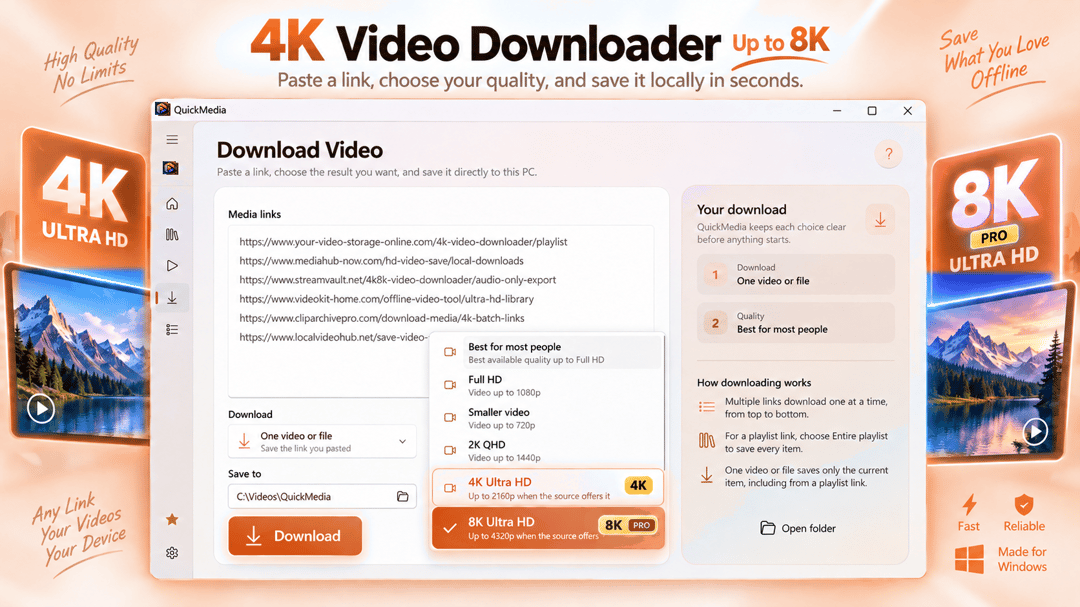

Download 4K videos, save supported playlists, and manage your media on Windows. QuickMedia combines video downloading, format conversion, trimming, compression, and audio extraction in one easy-to-use app.

Media
Tapescript: Offline AI Transcription & Subtitles
Black MonthPro Lifetime 40% off on Microsoft Store (US) through Nov 29
Turn audio and video into editable transcripts and subtitles, right on your Windows PC.
Tapescript converts speech in audio and video recordings into editable transcripts with timestamps.
Windows app. Pricing and requirements are listed on Microsoft Store.
Meet Tapescript: Offline AI Transcription & Subtitles
Tapescript converts speech in audio and video recordings into editable transcripts with timestamps. Import a meeting recording, interview, lecture, podcast, voice memo or video clip, then read, search, correct and export the words in one focused desktop workspace.
Your audio and video are processed locally for speech recognition. You do not need to upload personal recordings to a transcription website, create an account or pay for cloud transcription minutes. Download the speech model during initial setup, then transcribe supported languages offline.
Drop a file into Tapescript or choose one from your computer. The app extracts speech from supported media, generates a timestamped transcript and saves it to your local history. You can return to a transcript later without running recognition again.
Supported audio formats include MP3, M4A, AAC, WAV, FLAC, OGG, OPUS and WMA. Supported video formats include MP4, MOV, MKV, WEBM, AVI and WMV. Actual decoding depends on the content of the file, not just its extension.
Use Tapescript to transcribe a recorded discussion, turn a podcast episode into searchable text, review a lecture, capture the words from a video or prepare a written record of an interview. If you have a microphone, you can also record audio in the app and transcribe the recording afterward.
Tapescript puts the media player beside your transcript, so you can listen and read together. Click a timestamp to jump to that part of the recording. Follow the current segment during playback, pause automatic following when you scroll or edit, and jump back to the playing position whenever you want.
Correct words directly in the transcript, use Find and Replace to fix recurring mistakes, and copy individual segments or the complete text. Changes are saved automatically, with Undo and Redo for editing. Switch to a plain-text reading view when you want to focus on the content instead of individual timestamped segments.
Need a cleaner transcript? Basic cleanup of spacing and empty lines is free. Pro adds optional cleanup for filler words, repeated words and short lines, with a preview before applying changes. Recognition is not perfect, so Tapescript keeps editing tools close to the recording rather than making you start over.
Export a transcript as TXT for notes, research or archiving. Create SRT subtitle files with timestamps for videos and presentations. Preview captions over the video while reviewing your transcript, and adjust the layout used for subtitle export.
Tapescript Pro also unlocks Word (DOCX) and WebVTT (VTT) export. Additional subtitle layouts include presets for short videos and easier reading, plus custom controls for characters, lines and cue duration. Subtitle timing is based on the recognized speech; review your output before publishing.
Your recent transcripts are available on the Home screen. Search by name, sort and filter results, rename a transcript in the list and reopen it for further editing. If a source media file has moved, Tapescript can show that status instead of silently hiding the problem.
For longer or repeated workflows, Pro can queue several files, import a folder and export multiple selected transcripts. Individual file progress and pause, resume or cancel controls help you manage a batch without losing track of which recordings are finished.
With Pro, optional speaker identification adds speaker labels to recognized speech, making conversations and interviews easier to review. Choose automatic detection or a speaker-count setting and rename the resulting speakers in the editor. Speaker recognition is an aid, not a guarantee, especially for overlapping voices or difficult recordings.
Tapescript uses on-device speech recognition rather than uploading your recordings for cloud processing. The Standard speech model supports 25 European languages, including English, German, French, Spanish, Italian and Portuguese. Language detection and results can vary with short clips, background noise and unfamiliar speech.
The initial setup downloads approximately 700 MB of speech models and requires an internet connection. Once installed, the core transcription and editing workflow operates offline. Internet access may still be used for Microsoft Store licensing, updates and optional in-app product information.
START FREE. UPGRADE WHEN YOU NEED MORE.
The free version includes the Standard recognition model, transcript editing, microphone recording, TXT and SRT exports, and transcription of up to 30 minutes per file, one file at a time. Free users receive three introductory Pro credits after initial model setup. Each eligible credit can unlock enhanced processing or features for one transcript; a credit does not unlock batch processing or premium speech models.
Tapescript Pro is an optional one-time purchase with no subscription. It removes the 30-minute per-file limit, enables batch processing, speaker labels, DOCX and WebVTT exports, advanced transcript cleanup and subtitle layouts, and access to optional Pro speech models. Available models may require additional downloads and disk space.
Tapescript is designed for people who want audio transcription, video transcription, editable text and practical subtitle exports in one straightforward Windows app. Whether you are reviewing an interview, documenting a meeting or preparing captions, you stay in control of your recordings and your workflow.
Supports Windows 10/11 on x64 and ARM64 devices. A minimum of approximately 700 MB must be downloaded during the first setup; additional storage is needed for models, media and exports. 8 GB RAM is recommended. Processing speed depends on your hardware, selected model and recording length. Tapescript transcribes supported speech; it does not download videos from streaming websites or provide live dictation or translation.
See the Microsoft Store listing for current features, system requirements, supported languages, and purchase options.
Common questions
Tapescript: Offline AI Transcription & Subtitles is a Windows app by SteveShines in the Media category. Tapescript converts speech in audio and video recordings into editable transcripts with timestamps.
Tapescript: Offline AI Transcription & Subtitles runs on windows 11 PCs. See the Microsoft Store listing for full system requirements.
Tapescript: Offline AI Transcription & Subtitles is available in 25 Euro languages & English (United States).
Install Tapescript: Offline AI Transcription & Subtitles from its official Microsoft Store listing (https://apps.microsoft.com/detail/9N888SH4SJ7M). Microsoft Store handles installation and updates, and the listing shows current pricing and purchase options.
Tapescript: Offline AI Transcription & Subtitles is developed and published by SteveShines, which makes Windows apps for files, media, creative work, and desktop productivity. For help, use https://steveshines.com/contact/.
Ready when you are
Runs in your browser. Nothing is uploaded.
Download 4K videos, save supported playlists, and manage your media on Windows. QuickMedia combines video downloading, format conversion, trimming, compression, and audio extraction in one easy-to-use app.
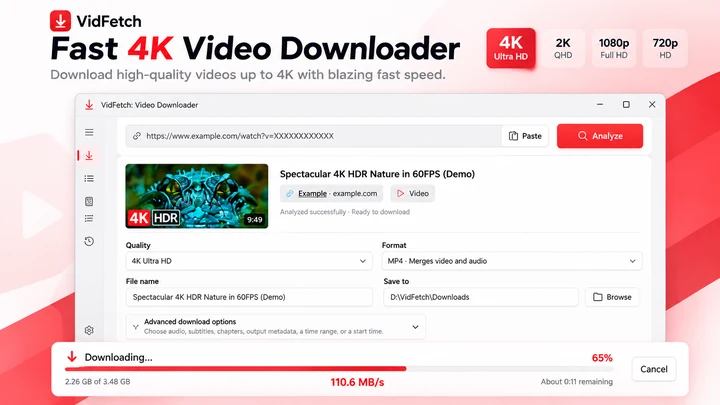
4K & 8K VIDEO DOWNLOADER FOR WINDOWS Download high-quality videos in 4K Ultra HD and up to 8K with VidFetch Pro.
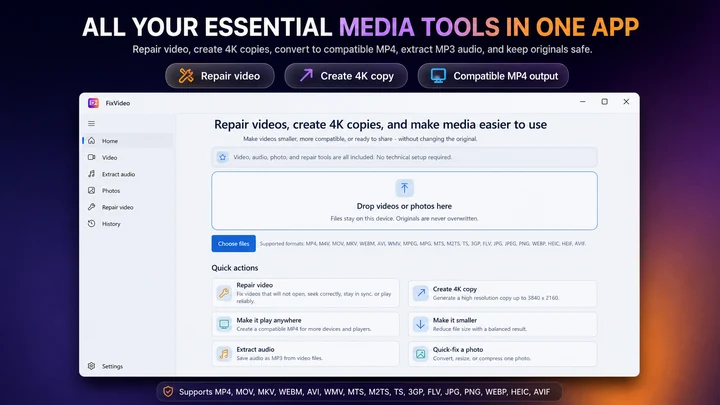

FixVideo is an offline video repair, compression, and conversion toolkit for Windows. Repair supported playback issues, compress 4K and HD recordings, convert videos to MP4, extract MP3 audio, and batch-optimize photos without uploading your personal files.
Workflow guide
A practical Windows 11 workflow for taking an authorized video from download through format checks, repair or conversion, editing, subtitles, final export, and upload.
Video Downloader & streaming
An M3U8 file is a UTF-8 text playlist used by HLS streaming. Learn how master and media playlists work, why an M3U8 is not an MP4, and how to save a supported stream on Windows.
Video Downloader & streaming
HLS and MPEG-DASH both adapt video quality over HTTP, but use different manifests and playback ecosystems. Compare M3U8 and MPD, codecs, CMAF, compatibility, latency and saving supported streams on Windows.

