
適用於 Windows 的影片下載器與媒體工具箱。

實用工具
Direct Link Downloader: MP4, MP3, M3U8
在 Windows PC 上下載 4K 和 8K 影片、保存 M3U8 和 MPD 流、批量下載影片連結、錄製直播並將影片轉換為 MP3。Direct Link Downloader 是一款影片下載器與媒體工具。
Windows 應用程式。價格與系統需求請見 Microsoft Store。

重點一覽
查看官方商店頁面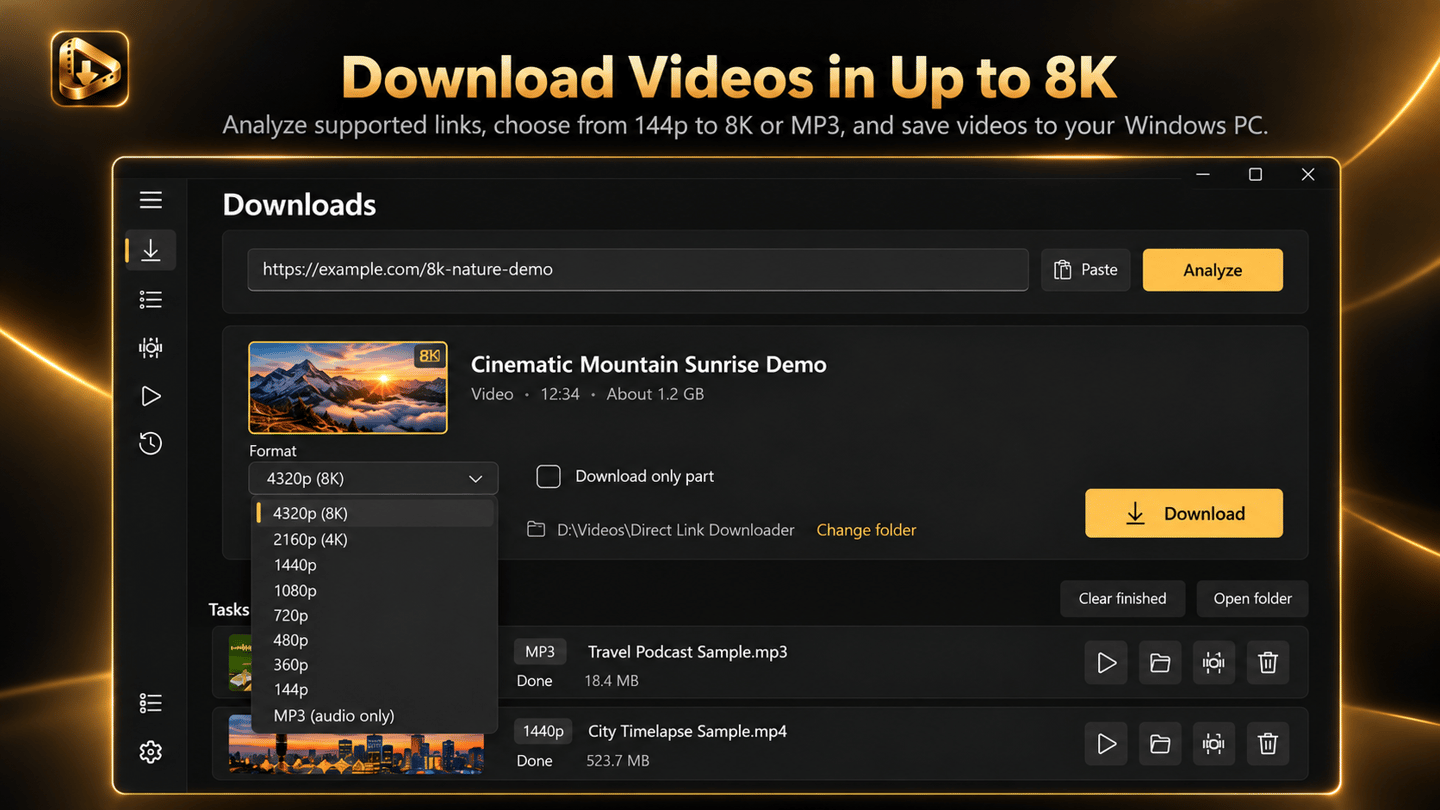
認識 Direct Link Downloader
DIRECT LINK DOWNLOADER:適用於 WINDOWS 的 M3U8、HLS、MPD、MP4 與 MP3 工具
保存支援的線上影片、下載 M3U8 和 HLS 流、擷取相容的直播並在單個 Windows 應用程式中整理媒體連結。Direct Link Downloader 將影片下載、流媒體保存、MP3 音訊工具、下載管理以及可選的 Pro 媒體功能融合到一個清晰的桌面工作區中。無論您需要單個 MP4、支援的流媒體播放清單,還是用於離線使用的影片集,整個流程從一個連結開始,到保存至 PC 的檔案結束。
WINDOWS 11 M3U8 下載器
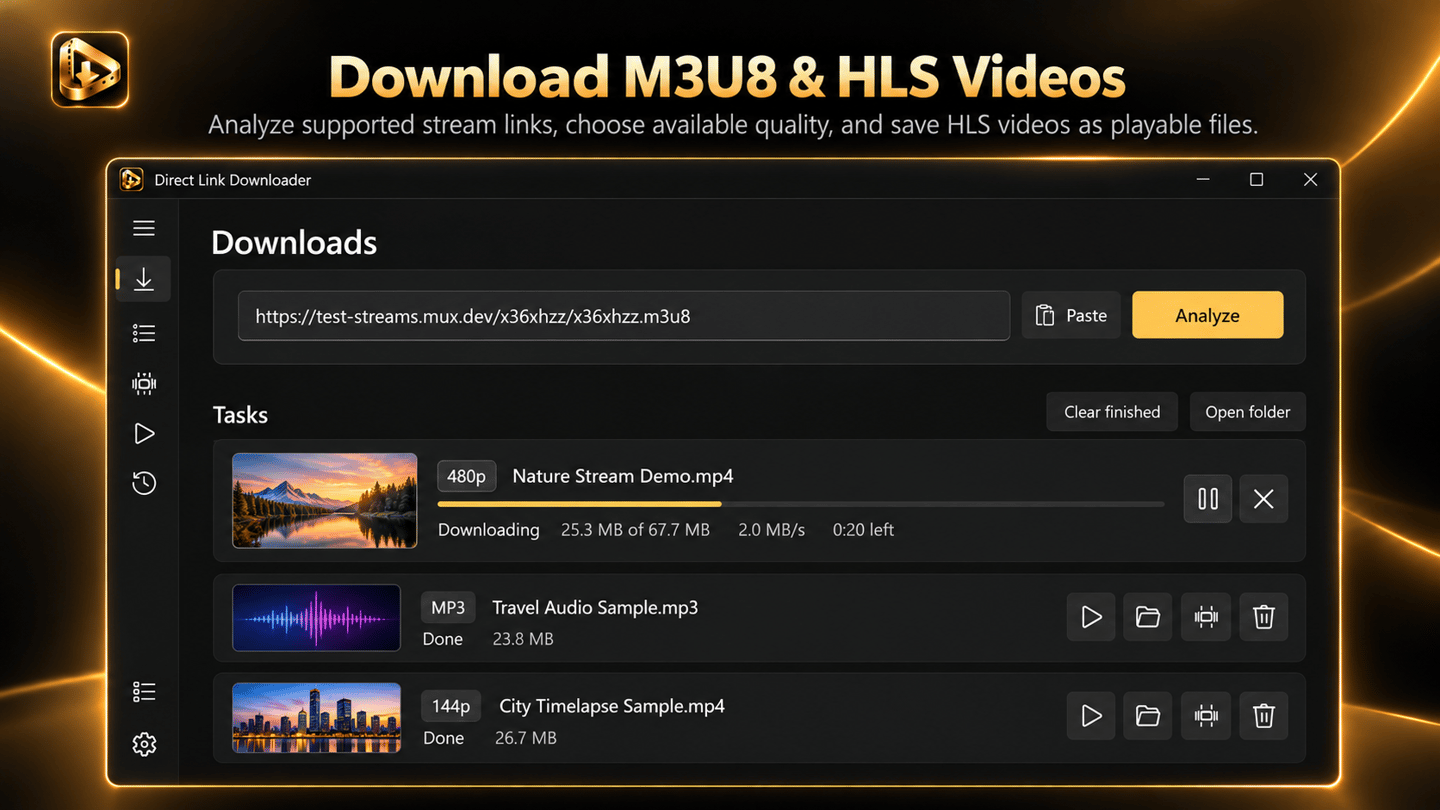
需要保存透過 M3U8 播放清單傳輸的影片?Direct Link Downloader 支援相容的 M3U8 和 HLS 流,幫助您在本地保存可存取的影片內容,而不是讓它局限於瀏覽器分頁中。M3U8 連結常用於將線上影片切分為較小部分進行分發。該應用程式為您提供針對相容連結的直觀 Windows 工作流程,無需您手動管理這些碎片。
MPD 和 DASH 流下載器
某些影片源使用 MPD 清單和 DASH 流媒體而非 M3U8 和 HLS。Direct Link Downloader 同樣支援相容的 MPD 和 DASH 連結,因此您可以在同一個 Windows 應用程式中管理不同的支援流格式。每當源檔案使用另一種流格式時,無需尋找單獨的工具,只需在同一個桌面工作區中處理支援的流 URL 即可。
直接 MP4 影片下載器與媒體連結保存器
有時您已經擁有影片或音訊檔案的直接地址。Direct Link Downloader 讓這些日常下載變得簡單:貼上相容的媒體 URL,選擇目標位置,然後將檔案保存到電腦。將錄影、專案資源、媒體匯出或其他授權內容保存在您控制的資料夾中。
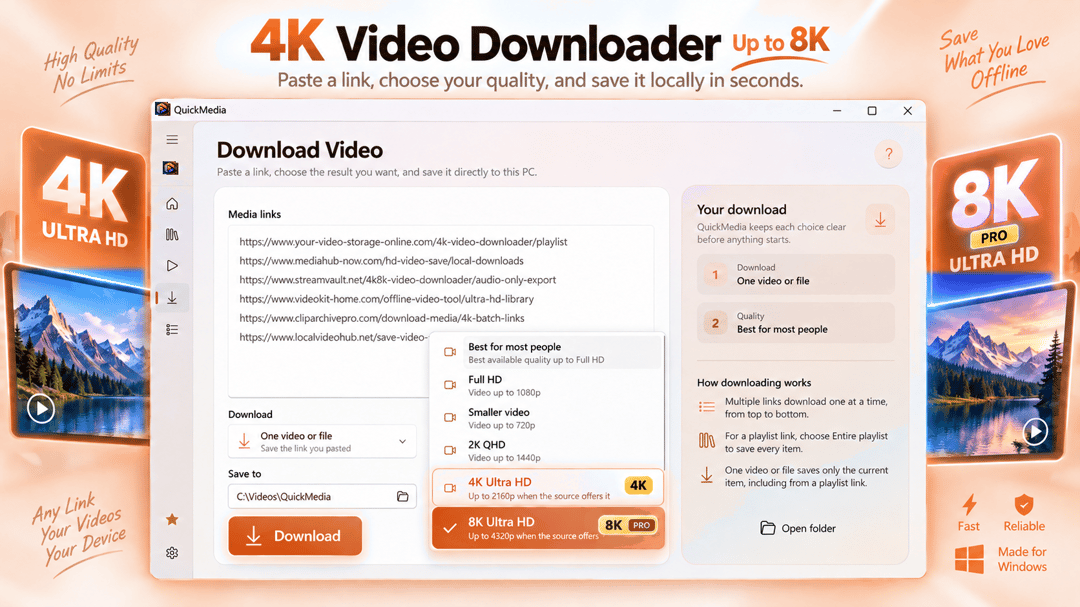
透過 PRO 下載 4K 和 8K 影片
保存適合您專案的可用清晰度。Direct Link Downloader 支援針對相容源的影片品質選擇,當原始源檔案提供時,可透過 Pro 獲取高達 4K 和 8K 的高解析度選項。選擇 Full HD 用於日常播放,或選擇更高解析度用於相容顯示器、細節素材和高品質媒體集。
錄製相容的直播
想要保留一份您獲授權保存的直播錄影?Direct Link Downloader 包含針對支援源的直播錄製功能。啟動相容的錄製任務,跟蹤其狀態,將可用的媒體保存在本地以備後用。這對於您自己的直播製作、許可的廣播、培訓會、演示和其他可存取的即時內容非常實用。
影片轉 MP3 下載與本地音訊擷取
當您只需要聲音時,完整的影片檔案可能是多餘的。Direct Link Downloader 支援從相容源進行面向 MP3 的下載,並支援針對支援檔案的本地音訊擷取。保留授權錄音的口述部分,建立您自己影片的音訊副本,或從允許使用的媒體中準備聲音素材。
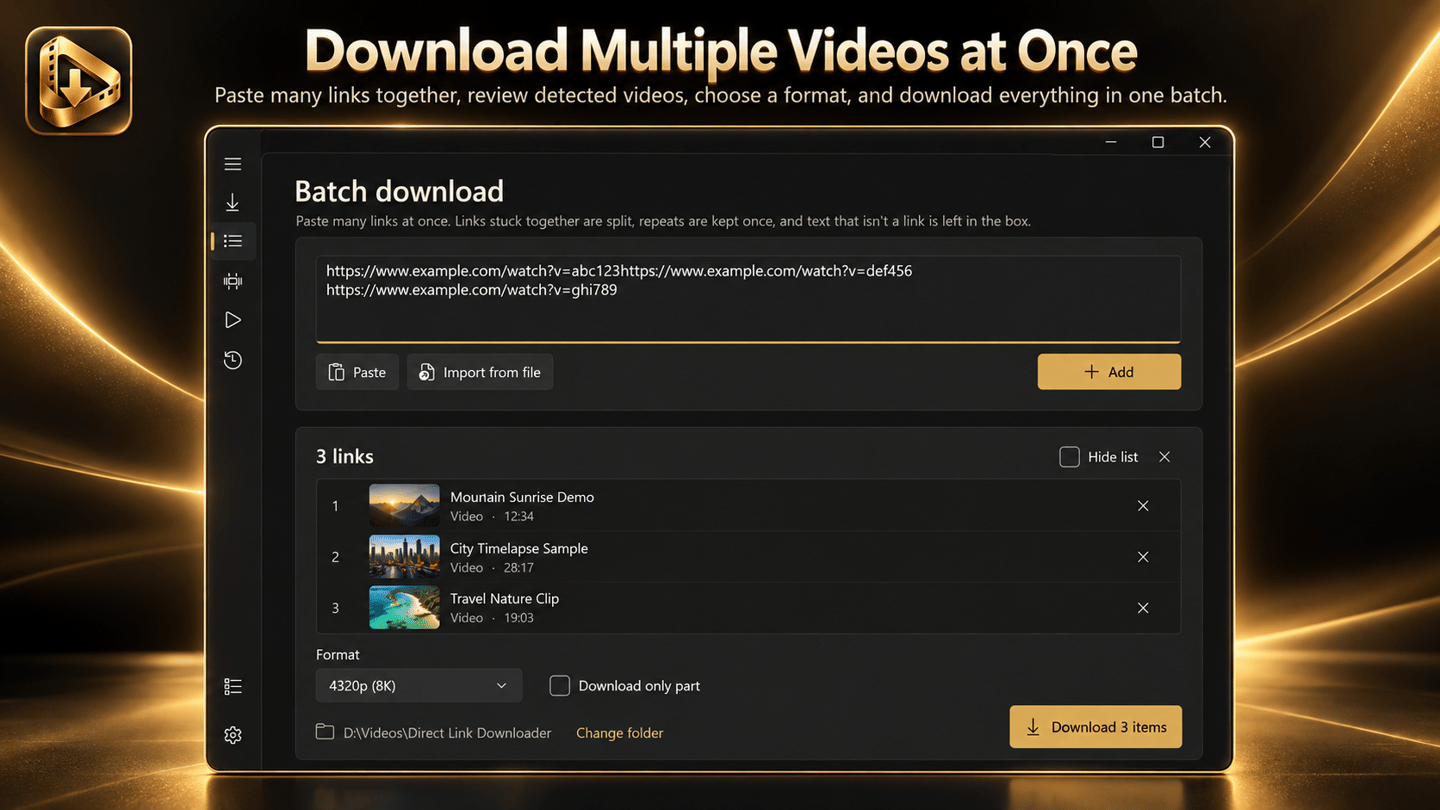
透過 PRO 批量下載最多 500 個連結
擁有大量直接媒體 URL?Pro 支援針對最多 500 個連結的批量下載,幫助您在單個工作流程中管理重複的下載工作。整理許可的培訓資源、歸檔您自己作品的連結、收集授權的專案媒體,或準備一組可下載資源,而無需將每個 URL 作為無關任務處理。
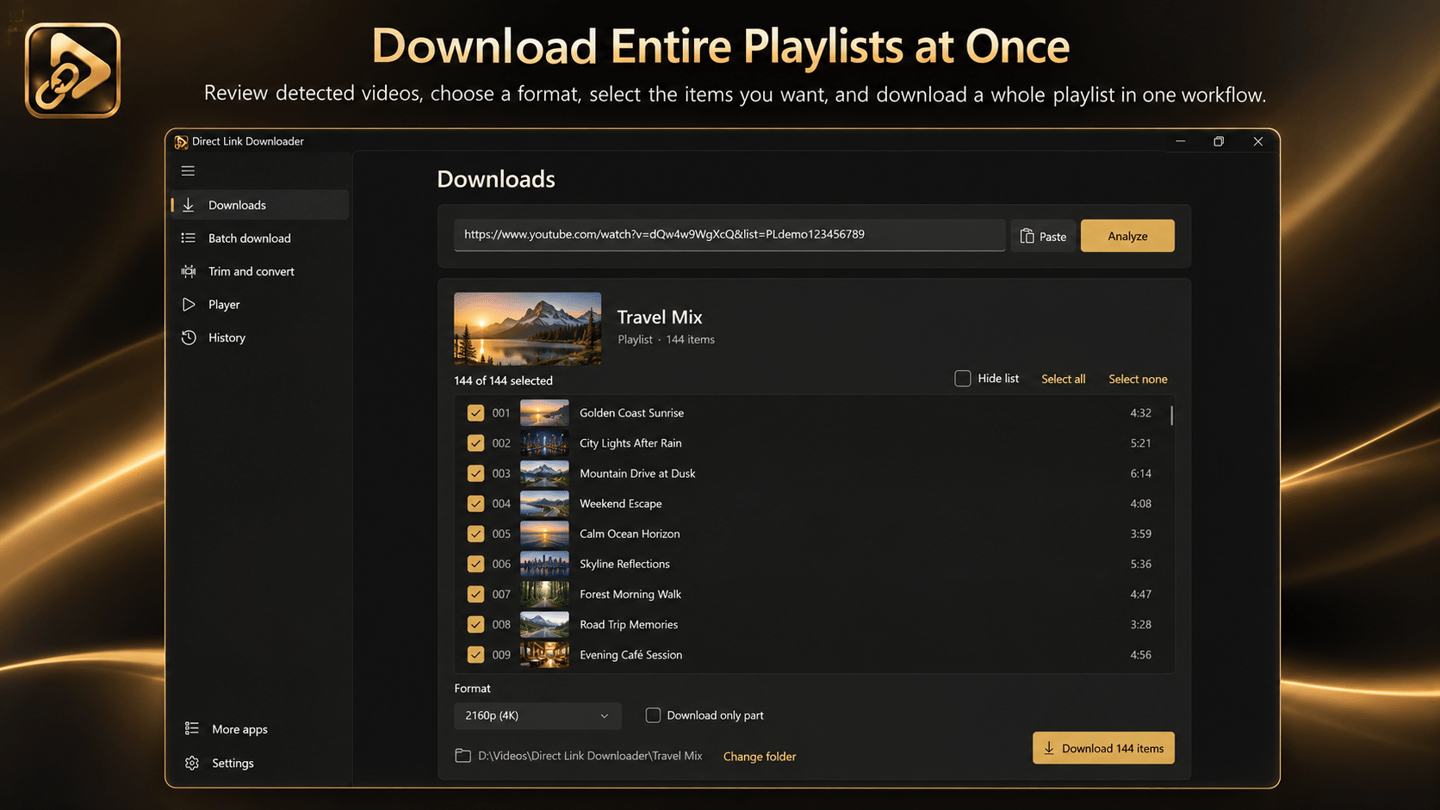
支援集的播放清單下載器
Direct Link Downloader Pro 支援針對最多 500 個項目的集合的相容播放清單工作流程。當媒體被整理為支援的播放清單時,您可以透過應用程式管理該集合,而無需手動逐個處理每個可用項目。這使得保存授權的課程集、您自己發布的錄影或可下載的媒體系列變得更加容易。
下載佇列、進度與歷史記錄
一個優秀的下載器應該讓人容易看到正在發生什麼。Direct Link Downloader 透過直觀的進度和狀態資訊保持下載整潔有序,因此您可以查看活動傳輸、已完成的檔案以及需要注意的項目。監控支援的下載,無需忙於切換瀏覽器分頁或疑惑傳輸是否完成。
該應用程式還提供本地下載歷史記錄。重溫過往活動、尋找已保存的檔案,並跨工作階段保持媒體工作流程整潔。當您頻繁下載、處理多種媒體類型或在幾天後重新返回專案時,這尤其有用。
暫停、恢復與重試支援的下載
大型下載和不穩定的網路連接並不總是配合默契。Direct Link Downloader 包含針對支援任務的暫停、恢復和重試控制,幫助您在下載工作區內部管理中斷。如果某個項目失敗,您可以查看其狀態並重試,而不會失去對佇列其餘部分的追蹤。
透過 PRO 進行高級並行下載
對於處理多個傳輸的使用者,Pro 提供最多三個並行下載。執行多個支援的任务可以更容易地處理佇列,而無需等待手動啟動每個項目。使用應用程式整理好的下載檢視來查看哪些傳輸處於活動狀態,哪些保持掛起。
透過 PRO 進行局部影片下載
並非每個專案都需要長影片的全部內容。Direct Link Downloader Pro 包含針對支援源的局部影片下載功能,允許您在源檔案和可用工作流程允許時專注於您實際需要內容。當一小部分比完整錄影更有用時,這可以幫助減少不必要的下載。
用於快速精華擷取的影片剪輯
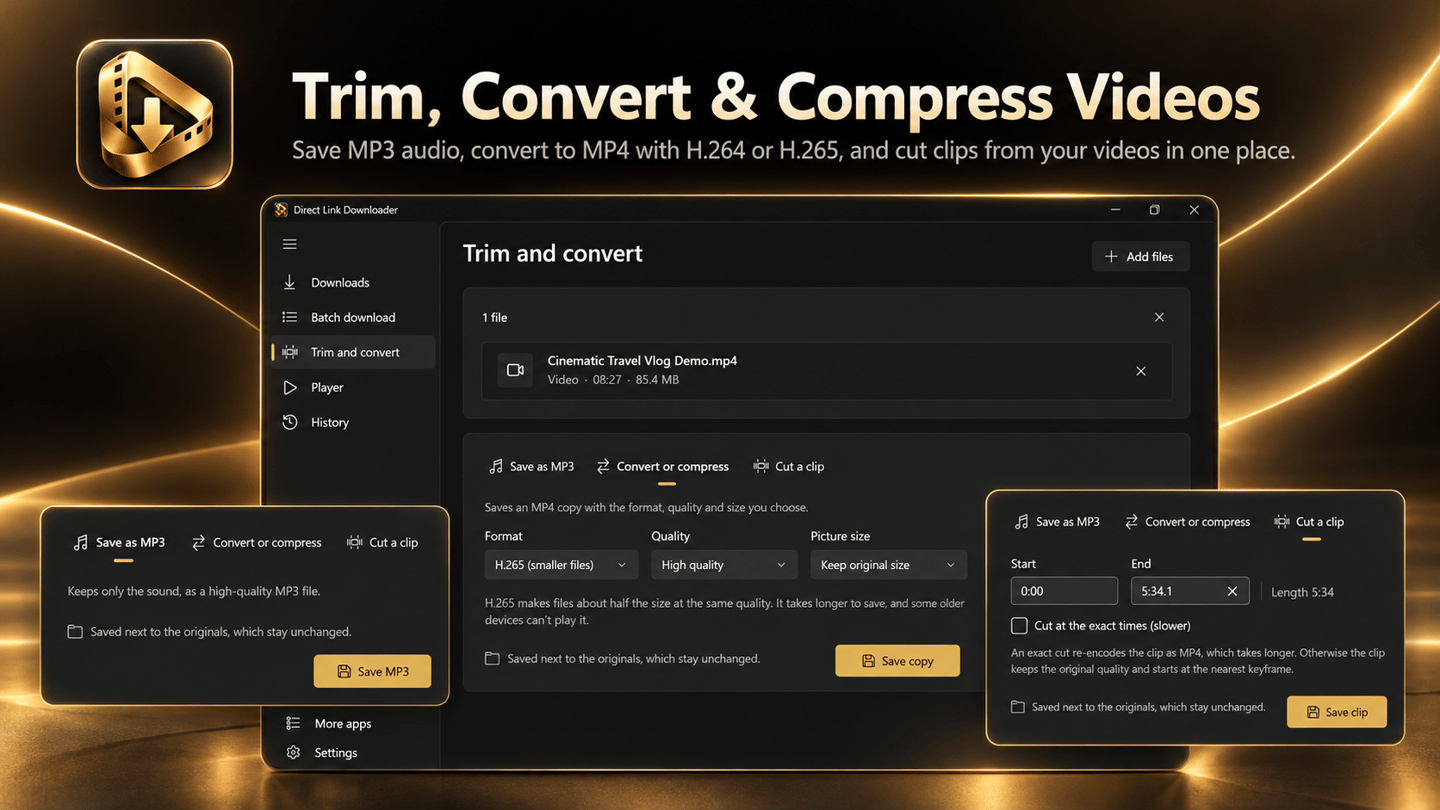
需要短片段而非長錄影?Direct Link Downloader 包含針對相容本地檔案的快速影片剪輯,透過 Pro 可獲取精準剪輯。為審查、演示、個人歸檔或其他授權工作準備較短的精選內容,而無需為了每一個基礎剪輯都轉向單獨的編輯應用程式。
透過 PRO 進行 MP4 影片轉檔
下載的媒體並不總是處於您播放或分享所需的格式。Direct Link Downloader Pro 包含針對支援本地檔案的 MP4 影片轉檔,幫助您為相容的播放器、設備和日常工作流程準備媒體。先保存支援的流或下載檔案,然後在需要不同的輸出格式時使用可用的本地轉檔工具。
透過 PRO 進行 H.264 和 H.265 影片壓縮
影片檔案會迅速消耗儲存空間,尤其是包含長錄影或高解析度素材時。Direct Link Downloader Pro 為支援的本地影片提供 H.264 和 H.265 壓縮選項,幫助您建立更小的檔案用於儲存、分享或歸檔。將更多媒體有序保存在 PC 上,無需為了基礎壓縮任務而尋求第二個應用程式。
透過 PRO 在應用程式內播放已保存的媒體
保存媒體後,您通常想立即檢查結果。Direct Link Downloader Pro 內建針對支援檔案的影片播放器和小巧迷你播放器,幫助您查看錄影和下載內容而無需切換到無關應用程式。確認內容、核對片段,或在整理檔案時繼續審查媒體。
自訂檔名與整潔的本地工作流程
Pro 提供自訂輸出檔名範本,幫助您保持較大媒體集的一致性。清晰的檔名和明智的目標資料夾使得尋找錄影、比較版本和返回過往工作變得更加容易。對於日常使用,選擇資料夾並下載。對於重複任務,利用 Pro 中可用的額外組織選項。
DIRECT LINK DOWNLOADER 適合誰?
Direct Link Downloader 專為希望將支援的影片和音訊直接保存到電腦的 Windows 使用者打造。它可以幫助內容創作者保留自己媒體的副本、教育工作者整理許可的學習錄影、製作團隊收集授權的專案檔案,以及普通使用者在一個地方管理相容的媒體連結。
從核心應用程式開始,需要更多功能時再升級
使用針對支援媒體連結的核心下載工作流程、流保存、直播錄制、下載控制和本地歷史記錄,具體取決於您安裝版本中可用的功能。Pro 增加了高級功能,包括可用時高達 4K 和 8K 的清晰度選項、最多 500 個連結的批量處理、最多 500 個項目的支援播放清單、最多三個並行下載、局部下載、精準剪輯、MP4 轉檔、H.264/H.265 壓縮、檔名範本以及應用程式內播放工具。
查閱目前的 Microsoft Store 和應用程式內購買介面以獲取最新的 Pro 價格、可用性和功能權益。並不保證所有源檔案都能獲得特定格式、網站、流、速度或解析度。
支援的源檔案與負責任的使用
Direct Link Downloader 適用於相容的媒體連結和可存取的流媒體源。當網站更改其媒體交付方式、URL 過期、流結束或存取權限發生變化時,可用性可能會發生變化。本應用程式不會繞過數字版權管理 (DRM)、付費牆、身分驗證限制或其他保護措施。僅下載和錄製您擁有或獲得許可保存的媒體,並遵守適用的許可條款和版權規則。
適用於多種媒體格式的 WINDOWS 下載器
從單個直接 MP4 連結到可存取的 M3U8 播放清單,從許可的直播錄制到大量可下載媒體,Direct Link Downloader 為您提供一個集中管理支援保存任務的場所。選擇您獲授權保留的媒體、監控進度、將檔案保存到 PC,並在您的工作流程需要時使用可選的 Pro 工具。
最新功能、系統需求、支援語言與購買選項,請以 Microsoft Store 頁面為準。

Browser extension · Edge and Chrome
A free extension for Microsoft Edge and Google Chrome that finds the video, M3U8/HLS, MPD/DASH, MP4 and audio links a page plays, shows the available qualities and sends the one you choose to Direct Link Downloader. It does not download by itself: the Windows app does the download.
Free. Requires Direct Link Downloader on Windows, which does the download.
常見問題
Direct Link Downloader: MP4, MP3, M3U8 是 SteveShines 推出的 Windows 應用程式,屬於「實用工具」類別。在 Windows PC 上下載 4K 和 8K 影片、保存 M3U8 和 MPD 流、批量下載影片連結、錄製直播並將影片轉換為 MP3。Direct Link Downloader 是一款影片下載器與媒體工具。
Direct Link Downloader 的主要功能:4K 和 8K 影片下載 (Pro,可用時);M3U8 和 HLS 流下載;MPD 和 DASH 影片下載;線上影片連結分析;批量下載最多 500 個連結 (Pro);播放清單下載最多 500 個項目 (Pro);透過 URL 直接錄製支援的直播串流;影片轉 MP3 下載;本地 MP3 音訊擷取;快速影片剪輯;精準影片剪輯 (Pro);局部影片下載 (Pro);MP4 影片轉檔 (Pro);H.264 和 H.265 影片壓縮 (Pro);暫停、恢復與重試下載;最多三個並行下載 (Pro);本地下載歷史記錄;自訂輸出檔名範本 (Pro);內建影片播放器與迷你播放器 (Pro);淺色與深色主題。
Direct Link Downloader 可在 Windows 11、Windows x64和Windows ARM64 電腦上執行。完整的系統需求請見 Microsoft Store 頁面。
Direct Link Downloader 提供以下語言:English, German, Spanish, French, Indonesian, Italian, Japanese, Korean,以及另外 8 種。
請從 Direct Link Downloader 的官方 Microsoft Store 頁面(https://apps.microsoft.com/detail/9PJPP73G2DDX)安裝。安裝與更新由 Microsoft Store 處理,頁面上會顯示目前的價格與購買選項。
Direct Link Downloader 由 SteveShines 開發與發行。SteveShines 專為檔案、媒體、創意工作與桌面生產力打造 Windows 應用程式。如需協助,請使用 https://steveshines.com/zh-tw/contact/。
在瀏覽器中執行,不會上傳任何檔案。
適用於 Windows 的影片下載器與媒體工具箱。
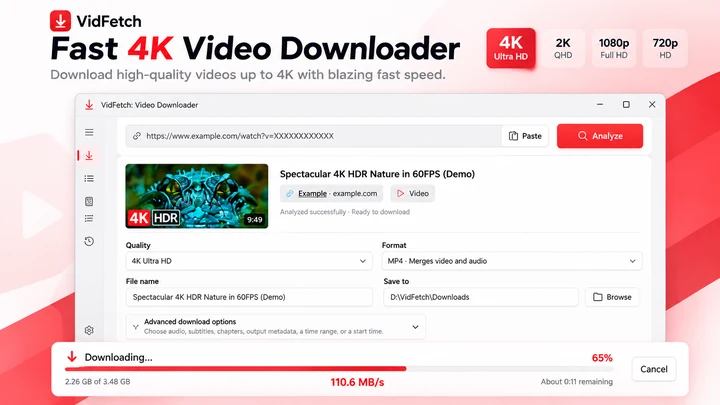
保存支援的線上影片,提供明確的畫質選項、播放清單、多連結下載、佇列、重試與本地歷史記錄。
桌面剪輯器中的影片剪輯、消除靜音和 Whisper 字幕功能。
Tutorials
Learn how to download multiple videos on Windows 11, manage batch download queues, choose available video quality, and troubleshoot common issues.
Video & streaming
M3U8 Downloader for Windows 11: Save HLS Video Streams
Video Downloader & streaming
Save a supported M3U8 stream as a locally usable video, preferably MP4
Video Downloader & streaming
Record compatible livestreams you are authorized to save, track download activity, and keep recordings locally on your Windows PC. Copy summary
Windows apps
Paste supported MP4, MP3, M3U8 and other media links into one Windows downloader to manage files, recordings, and local history.
Troubleshooting
Learn why a video downloader may show 1080p instead of 4K or 8K, and how to check source quality, formats, access limits, and saved file resolution.
Video & streaming
Understand MPEG-DASH MPD manifests, save supported streams on Windows 11, and troubleshoot missing audio, expired links, and DRM restrictions.
Workflow guide
A practical Windows 11 workflow for taking an authorized video from download through format checks, repair or conversion, editing, subtitles, final export, and upload.
Video Downloader & streaming
An M3U8 file is a UTF-8 text playlist used by HLS streaming. Learn how master and media playlists work, why an M3U8 is not an MP4, and how to save a supported stream on Windows.
Video Downloader & streaming
HLS and MPEG-DASH both adapt video quality over HTTP, but use different manifests and playback ecosystems. Compare M3U8 and MPD, codecs, CMAF, compatibility, latency and saving supported streams on Windows.
Video Downloader & streaming
Downloaded a .ts file instead of an MP4? Learn why HLS video arrives in MPEG-TS segments, how to tell a complete recording from one short segment, and when remuxing to MP4 is possible.
Subtitles & video
Compare SRT and WebVTT subtitle formats, see examples, understand what is lost in conversion, and learn to batch-convert privately in your browser.
Explainer
Compare automatic captions with creator-edited subtitles: accuracy, timing, accessibility, SRT files and a practical Windows 11 workflow.
Explainer
Learn the difference between burned-in captions, selectable subtitle tracks and separate SRT/VTT files—and which format to use for sharing or uploading videos.
Explainer
Video downloaded but won’t open, shows a black screen or plays without sound? Check incomplete files, MP4 codecs and format compatibility before converting.
Explainer
Fix a sideways or upside-down phone video on Windows 11. Learn rotation metadata, Clipchamp steps, aspect ratio and when to export a new MP4.
Technology explained
An MPD file is the XML manifest of an MPEG-DASH video stream: a map of the tracks, qualities and segments a player downloads. See what is inside one, why it will not play alone, and how to check or save a DASH stream on Windows.
Technology explained
ASS is a styled subtitle format with fonts, colours, positions and effects. See what is inside an ASS file, how it differs from SRT, why many players ignore it, and what changes when you convert it.
Technology explained
Drop-frame timecode skips frame numbers, not frames, so 29.97 fps video keeps clock time. See why it exists, how the rule works, when to use drop-frame or non-drop, and how to convert timecode.
Explainer
Learn how to search for text inside PDF and Word documents on Windows 11, troubleshoot indexing, and find files by content.
Workflow guide
Find an old document even when you have forgotten its filename. Search by phrases, invoice numbers or document contents.