

檔案與文件
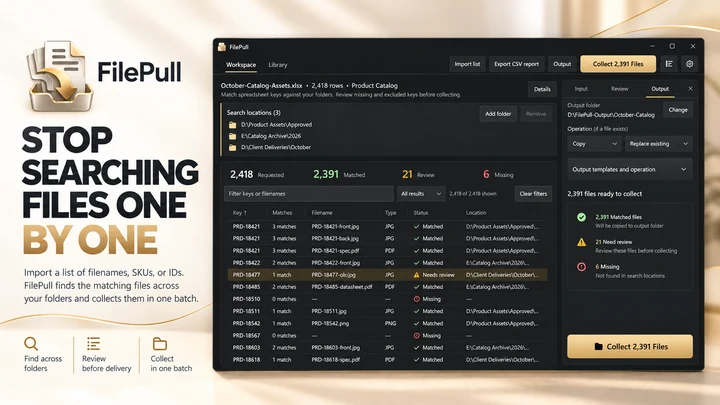
FilePull
根據檔名、SKU 或 ID 清單批量尋找與收集檔案。
檔案與文件
CardBackup
從記憶卡複製檔案,流程內建校驗功能。
Windows 應用程式。價格與系統需求請見 Microsoft Store。
重點一覽
查看官方商店頁面認識 CardBackup
CardBackup 幫助攝影師和攝像師在清空相機卡之前建立經過校驗的媒體副本。選擇您的相機卡、可移動驅動器或媒體資料夾,然後選擇一個或兩個備份目標位置。CardBackup 會掃描源位置,檢查目標位置,複製檔案,然後獨立讀取目標檔案並使用 SHA-256 校驗和與源檔案進行比對核驗。
最新功能、系統需求、支援語言與購買選項,請以 Microsoft Store 頁面為準。
常見問題
CardBackup 是 SteveShines 推出的 Windows 應用程式,屬於「檔案與文件」類別。從記憶卡複製檔案,流程內建校驗功能。
CardBackup 的主要功能:檔案複製;傳輸校驗。
CardBackup 是 Windows 桌面應用程式。最新的系統需求請見 Microsoft Store 頁面。
請從 CardBackup 的官方 Microsoft Store 頁面(https://apps.microsoft.com/detail/9PHKZFNFDG7M)安裝。安裝與更新由 Microsoft Store 處理,頁面上會顯示目前的價格與購買選項。
CardBackup 由 SteveShines 開發與發行。SteveShines 專為檔案、媒體、創意工作與桌面生產力打造 Windows 應用程式。如需協助,請使用 https://steveshines.com/zh-tw/contact/。
根據檔名、SKU 或 ID 清單批量尋找與收集檔案。
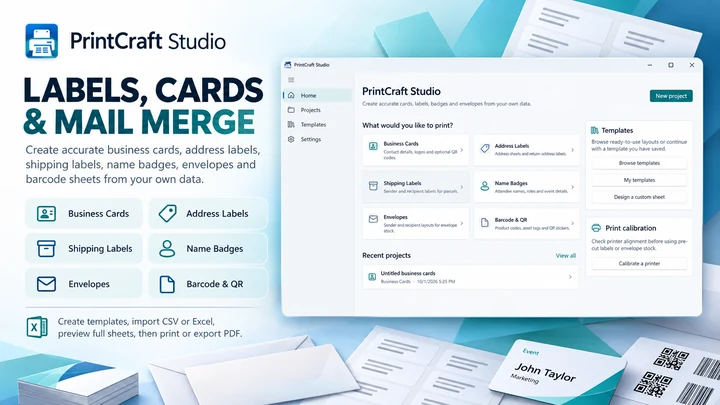

在 Windows 專屬工作區中建立標籤、卡片和列印版面配置。
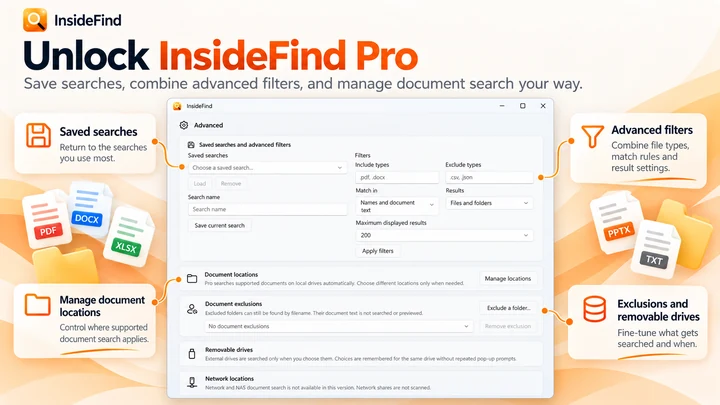

搜尋檔名;結合 InsideFind Pro,還可搜尋支援文件內部的內文。
Explainer
Learn how to move and copy files from multiple Windows folders, avoid repeated Copy/Paste, and organize a batch with a floating file staging shelf.
Explainer
Find screenshots saved by Win + Shift + S, Print Screen and Snipping Tool, check OneDrive, and keep your Windows 11 captures organized.
