

創意工具
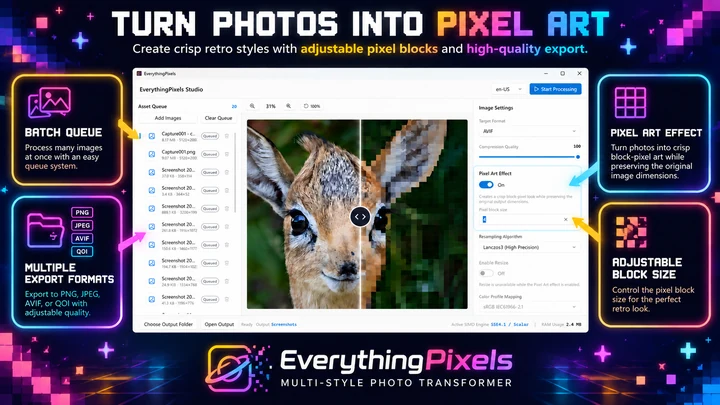
EverythingPixels
適用於 Windows 的圖像壓縮與像素藝術工具。
創意工具
Iconize Studio
生成應用程式圖示與資源,優化 SVG,並批量處理圖案。
Windows 應用程式。價格與系統需求請見 Microsoft Store。
重點一覽
查看官方商店頁面認識 Iconize Studio
直接在您的 Windows PC 上建立應用程式圖示、Favicon、ICO 檔案、優化的 SVG、透明圖形以及完整的跨平台資源包。
最新功能、系統需求、支援語言與購買選項,請以 Microsoft Store 頁面為準。
常見問題
Iconize Studio 是 SteveShines 推出的 Windows 應用程式,屬於「創意工具」類別。生成應用程式圖示與資源,優化 SVG,並批量處理圖案。
Iconize Studio 的主要功能:應用程式圖示生成;SVG 優化;批量資源處理。
Iconize Studio 是 Windows 桌面應用程式。最新的系統需求請見 Microsoft Store 頁面。
請從 Iconize Studio 的官方 Microsoft Store 頁面(https://apps.microsoft.com/detail/9PK3KHNC92LP)安裝。安裝與更新由 Microsoft Store 處理,頁面上會顯示目前的價格與購買選項。
Iconize Studio 由 SteveShines 開發與發行。SteveShines 專為檔案、媒體、創意工作與桌面生產力打造 Windows 應用程式。如需協助,請使用 https://steveshines.com/zh-tw/contact/。
適用於 Windows 的圖像壓縮與像素藝術工具。
Explainer
Learn how to move and copy files from multiple Windows folders, avoid repeated Copy/Paste, and organize a batch with a floating file staging shelf.
Explainer
Find the HEX or RGB value of any on-screen color on Windows 11. Compare PowerToys Color Picker and DeskPilot+ screen color tools.
