

创意工具
Iconize Studio
生成应用图标与资源,优化 SVG,并批量处理图像。
创意工具
EverythingPixels
适用于 Windows 的图像压缩与像素艺术工具。
Windows 应用。价格和系统要求请见 Microsoft Store。
要点一览
查看官方商店页面认识 EverythingPixels
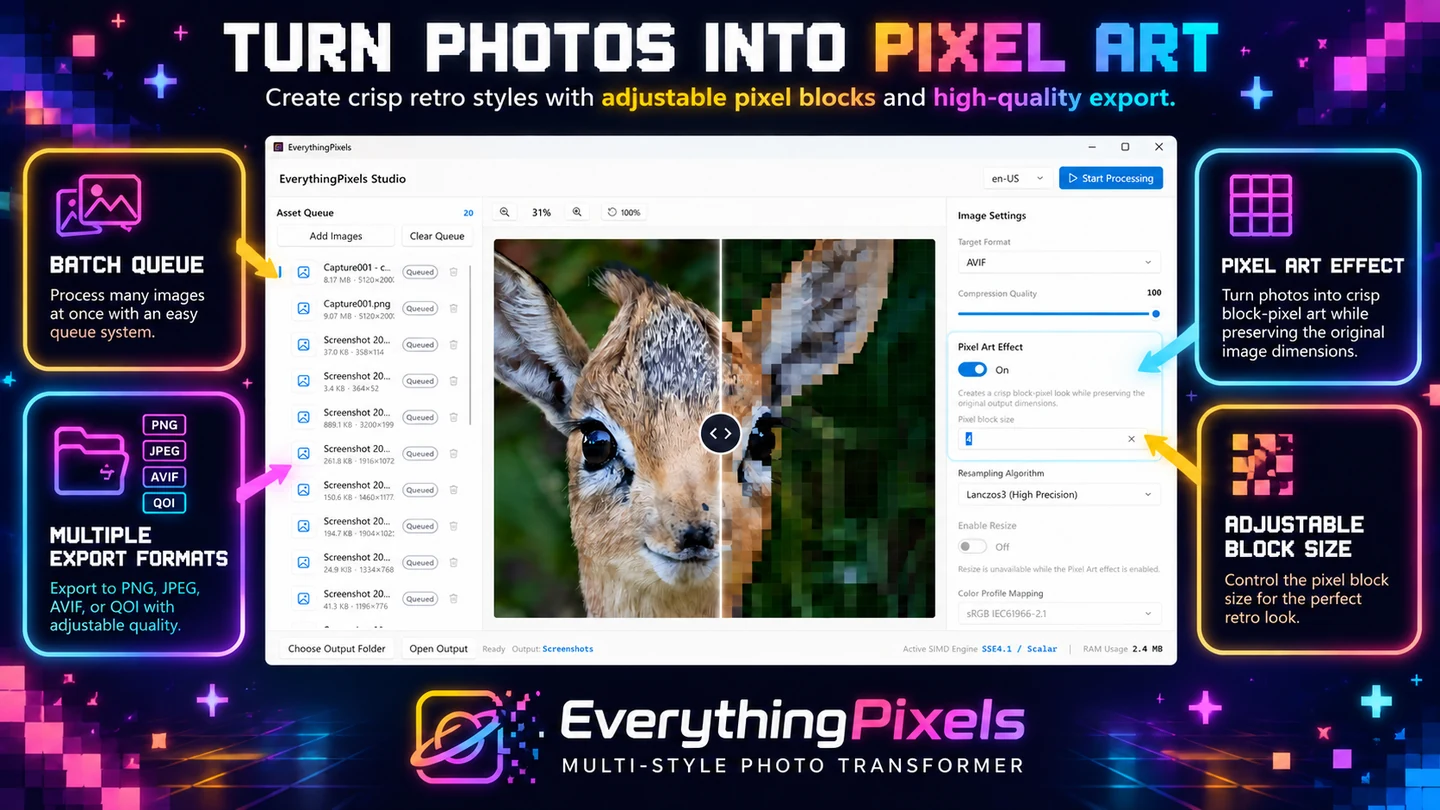
直接在 Windows PC 上压缩图像、调整整个图集的尺寸、在现代图像格式之间转换,或者将照片转换为清晰的复古像素艺术。
最新功能、系统要求、支持的语言和购买选项,请以 Microsoft Store 页面为准。
常见问题
EverythingPixels 是 SteveShines 推出的 Windows 应用,属于“创意工具”类别。适用于 Windows 的图像压缩与像素艺术工具。
EverythingPixels 的主要功能:图像压缩;像素艺术特效;批量图像处理。
EverythingPixels 是 Windows 桌面应用。最新的系统要求请见 Microsoft Store 页面。
请从 EverythingPixels 的官方 Microsoft Store 页面(https://apps.microsoft.com/detail/9P293K7HTMDL)安装。安装和更新由 Microsoft Store 负责,页面上会显示当前的价格和购买选项。
EverythingPixels 由 SteveShines 开发和发布。SteveShines 专为文件、媒体、创意工作和桌面效率打造 Windows 应用。如需帮助,请访问 https://steveshines.com/zh-cn/contact/。
生成应用图标与资源,优化 SVG,并批量处理图像。
Creative workflow
A practical checklist for image format, compression, and a careful batch export.
Explainer
Learn how to move and copy files from multiple Windows folders, avoid repeated Copy/Paste, and organize a batch with a floating file staging shelf.
Explainer
Find screenshots saved by Win + Shift + S, Print Screen and Snipping Tool, check OneDrive, and keep your Windows 11 captures organized.
